
← Back to How do I start my project over?
How do I answer Kai-Zen's questions?
Short answer
In Write a message…, type each question's number and the number of the option you choose, and press Send.
Before you start
Kai-Zen's questions in GilbApp's chat, after you started work with Kai-Zen by its own answer. The pictures show a made-up person on a test site; your screen shows your own name and address.
Words used here (2)
Steps
Type your answers in Write a message….
In the box that shows Write a message…, type the number of each question you answer and the number of the option you choose, one question per line, such as:
1. 2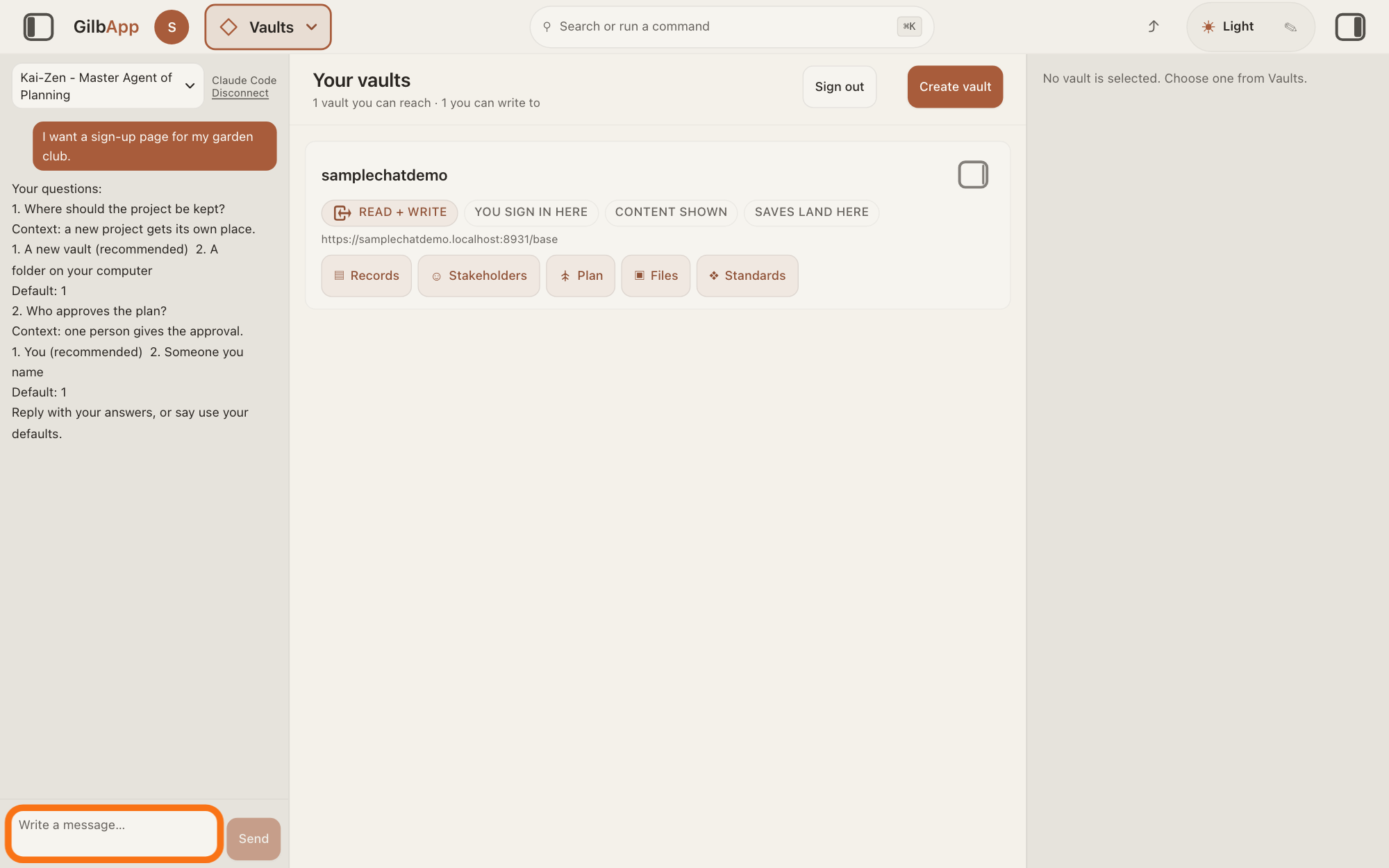
Show as text
The left pane shows "Kai-Zen - Master Agent of Planning" at the top, your request in a dark bubble, and under it Kai-Zen's reply starting "Your questions:", two numbered questions, each with "Context:", numbered options and a "Default:" line. At the bottom, the empty "Write a message…" box has the orange outline. Click it and type your answers, such as 1. 2
More about this
Kai-Zen's message holds the line Your questions:. Under each numbered question it gives one line of context, numbered options with its recommendation, and a line starting Default: with the option it will use if you do not answer. Answer only the questions you want to: each one you leave out takes its default. To take every default, type this instead:
use your defaultsPress Send.
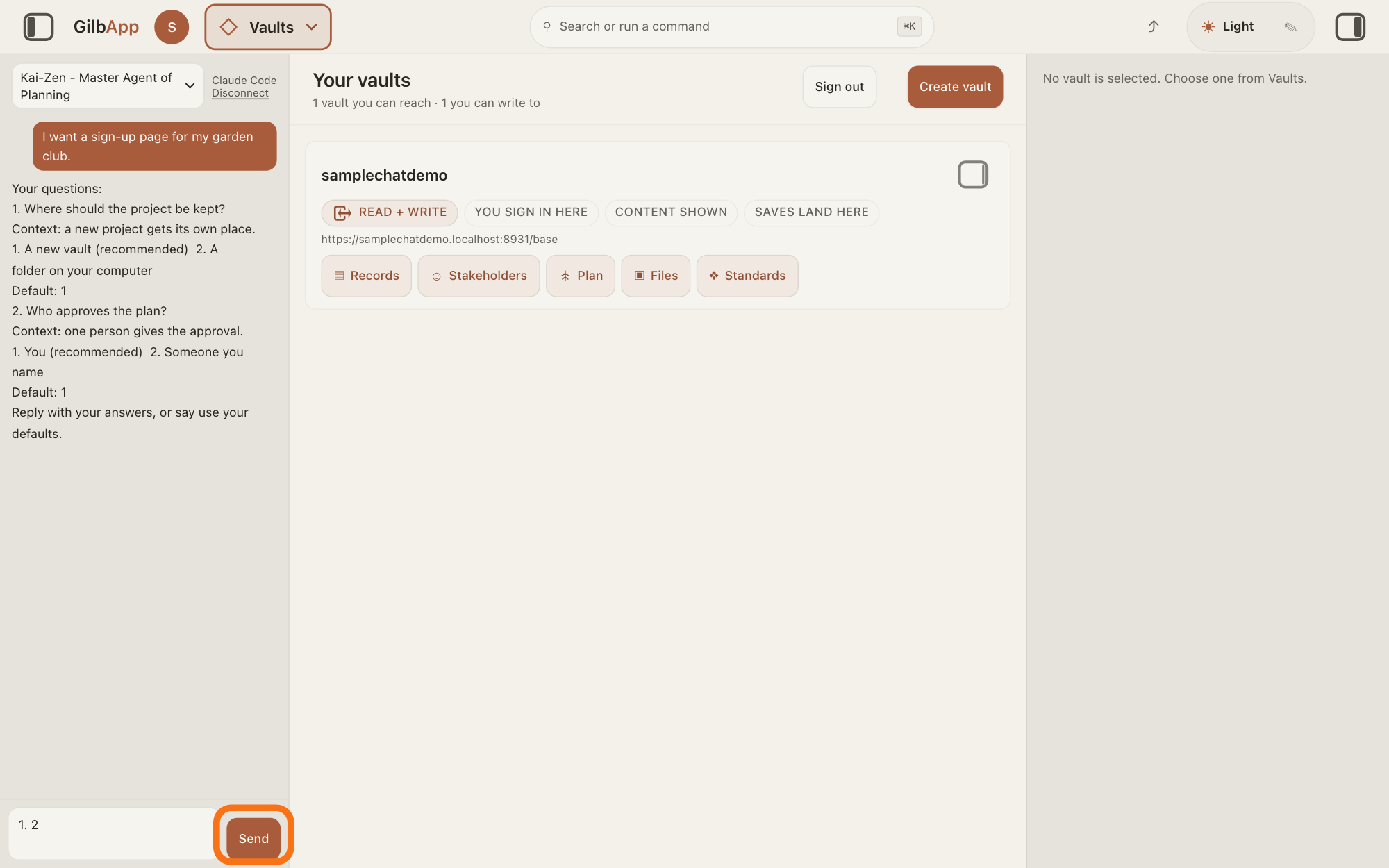
Press Send, or press Return. Kai-Zen then runs the work to the end.
Show as text
The same questions are in the left pane, ending with "Reply with your answers, or say use your defaults." At the bottom, the box now holds the answer 1. 2, and "Send" to its right has the orange outline. Click "Send", or press Return.
More about this
Shift and Return starts a new line without sending. Kai-Zen's message ends with: Reply with your answers, or say use your defaults.
Deeper
Kai-Zen asks all its questions in one message, at the start of the work, and only about what only you know or may decide: your purpose, facts about you, money you will spend, and a change of direction. After your reply it does not stop to ask again, except before acts it never does without you: putting work live, a production cutover (a change to the live system run in stages), changing a live concept in GilbVeda, GilbPlatform's shared list of concepts, ending a record or deleting a vault, giving access to a vault, spending more than the budget, changing a Value you set, or changing a standard, a written procedure, rule set, form or other guide that people and agents follow as they work. Then it stops only that part, asks one question in the same form, and goes on with the rest.
Anything else it would need from you on the way, it chooses itself, writes down as an assumption, and lists for you at the end. At the end it asks for one approval of the whole result: the plan, the steps it suggests with their estimates, every assumption, every Value you set that is hard to reach, every Value that supports nothing above it, and every open point. Reply with what you want changed; it changes it and asks once more.
Kai-Zen does not ask again what you already answered: it looks first in what the project has written down: its log, its specs and its handoff, and asks again only when a new fact changes the answer, and says which fact. What it puts off, it writes down with where it waits and what brings it back. Everything else it puts under the line For your information — no answer needed.
In Claude Code in Terminal you answer the same way: type your answers and press Return.
This answer is written for a computer screen.
Source: Kai-Zen.AskRules (K 06gdm7dyd5syda52jap5tm8qmm), all 12 rules read 2026-11-09: MustAsk, One (every question left unanswered takes its default), Form (Your questions:, context, numbered options with your recommendation, Default:, Reply with your answers, or say use your defaults.), NoAnswer (For your information — no answer needed.), Settled, Held, Assume (Assumption, listed for the end approval), Stop (the list), EndApproval (Change what the requester sends back. Then ask once more.). GilbApp 0c933e55 src/components/agent/AgentChat.tsx:1046 (Write a message…), :1063 (Send), :710-714 (Return sends, Shift+Return does not). Connector: the reply is ordinary Claude Code input. Stop list and EndApproval list completed word for word in meaning (Agent.Architect.Cutover; suggested VTT = suggested steps with their estimates, Kai-Zen.New.Steps). Cutover gloss: Agent.Architect.Cutover (stage it … one stage at a time) and Agent.Coder.Contextual (a script that changes production, in stages (a cutover, a migration run)).
Checked against GilbApp d529620.