
← Working on the plan together
How do I approve the plan, or say what to change?
Short answer
When Kai-Zen shows the whole plan, type your go or what you want changed in Write a message… and press Send.
Before you start
A project started with Kai-Zen in GilbApp's chat, and Kai-Zen's message that shows the whole plan and asks for your one approval. The pictures show a made-up person on a test site; your screen shows your own name and address. Their plan is short and made up, and shows no links.
Words used here (5)
- Kai-Zen
- Kai-Zen is the planning agent: it finds out what you want, chooses the way, hands the work to other agents and reports back.
- project
- A project is work to bring about a change you want, such as a new app or a better way of doing something.
- GilbApp
- GilbApp is the app, opened in a web browser at https://gilb.com/app, where you open, fill and share your vaults.
- assumption
- An assumption is a choice Kai-Zen made for you, or a fact your plan counts on, written down so you can check or change it.
- agent
- An agent is your AI following one written procedure, its standing instructions, for one kind of work.
Steps
Read Kai-Zen's message that asks for your approval.
The message lists what you approve: the plan, the steps Kai-Zen suggests with what each should bring and cost, every assumption, every goal you set that is hard to reach, every goal that supports nothing above it, and every open point. A goal here is a Value, a goal for how well your app must do something.
More about this
Each part comes with a link that opens it as a card in GilbApp. The plan's parts also show as cards under Plan.
If something is not clear, ask before you approve; the answer on what Kai-Zen says shows how.
Type your go, or what you want changed, in Write a message….
In the box that shows Write a message…, type your go, such as Approved, or say in your own words what you want changed, such as:
Leave out payments in the first version. Make the sign-up page the first step.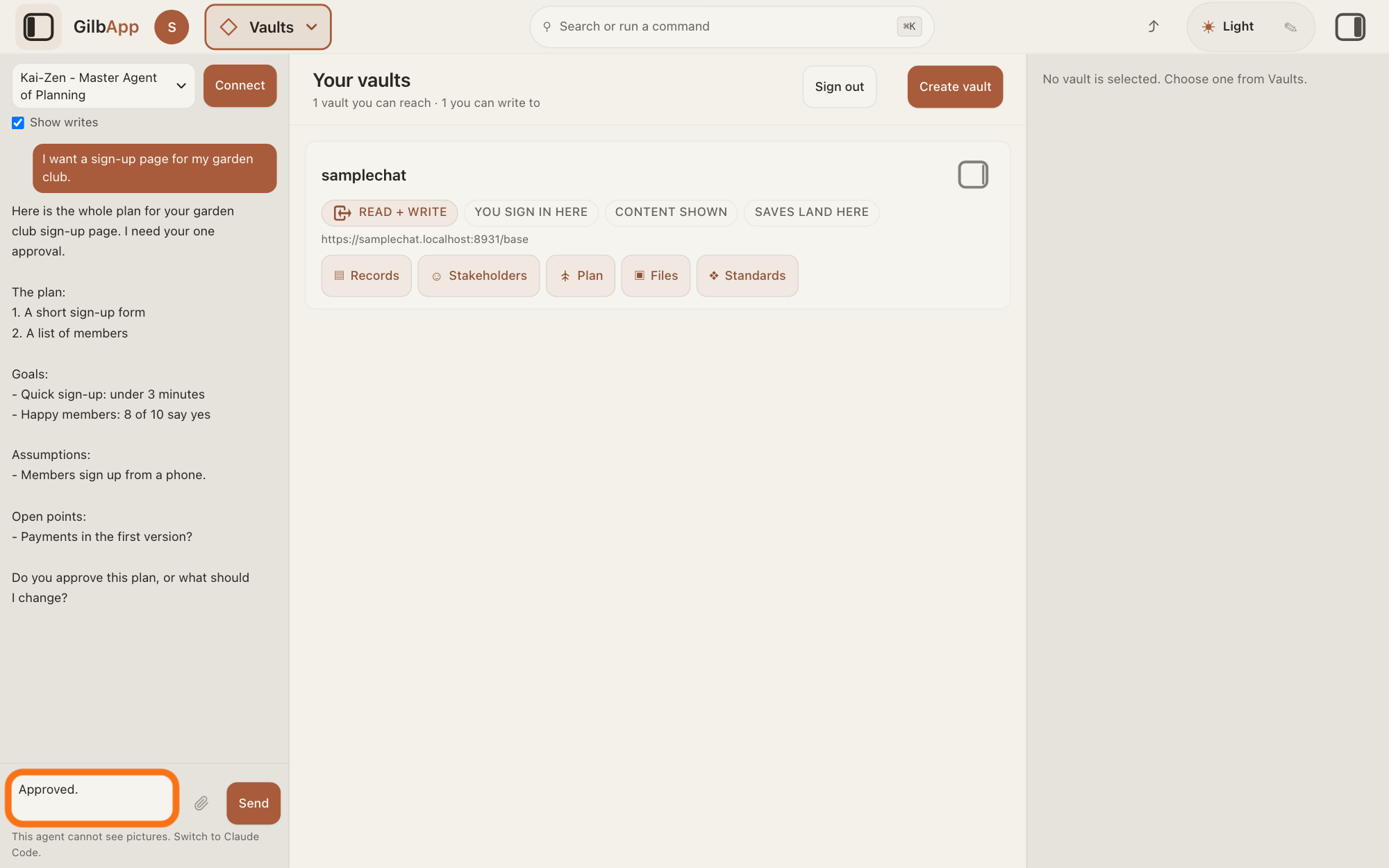
Show as text
On the left, the chat shows Kai-Zen's message with the whole plan, and its question at the end. At the foot of the chat, the box "Write a message…", outlined in orange, holds your go, typed as Approved. or as the changes you want.
More about this
You can name several changes in one message. Kai-Zen changes what you send back, then asks once more for your approval.
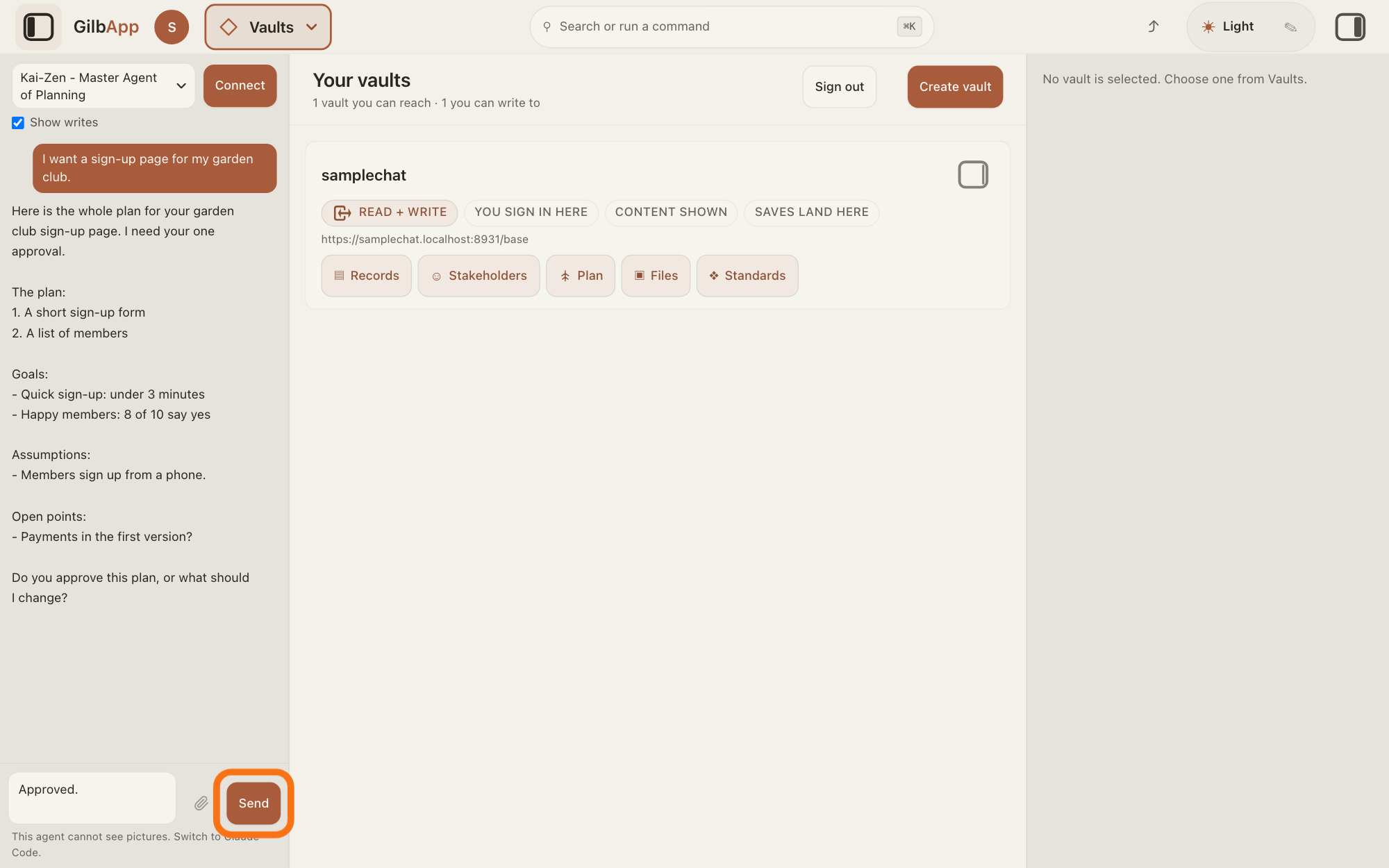
Press Send.
Press Send, or press Return. Shift and Return starts a new line without sending. While Kai-Zen is still writing, the button reads Queue; press it the same way.
Show as text
Your go, Approved., is typed in the box at the foot of the chat. The button "Send" to the right of the box, outlined in orange, sends it; Return does the same.
More about this
Once you approve, Kai-Zen offers numbered choices: another round to make the plan more exact, a review in which the agents look for weak spots and parts the plan covers poorly, or an explanation of how a kind of goal, such as security or ease of use, is handled, with your own goals as examples. Reply with a number, or say go on. It runs what you choose and offers again until you say go on; then it starts the first step.
Deeper
Also asked:
How do I approve my plan? Reply in the same chat when Kai-Zen asks for your one approval: type your go, such as Approved, and press Send. GilbApp has no approve button for the plan.
How do I change something in the plan before it is built? Write what you want changed in that reply. Kai-Zen changes it and asks once more.
Can I skip the approval? Yes, if you say so in your own words. Kai-Zen then starts the first step without asking for your approval.
Who gives the approval? You, or the person you named when Kai-Zen asked; the answer on who approves the plan tells more.
Before any building starts, Kai-Zen, the planning agent, stores the whole plan in the project's vault, reads it back and shows it to you for one approval. Approving says the plan describes what you want: who the app is for, what it must do and how good it must be. The approval is the easiest time to change it; the answer on a plan that looks wrong has ideas on what to look for.
If Kai-Zen works in Claude Code in a terminal instead of GilbApp's chat, reply there in the same way: type your go or your changes and press Return.
A change you want after the approval goes as a change to the product while the project runs. Later, Kai-Zen asks again before some acts, such as putting a change live; the answer on why Kai-Zen stops and asks lists them.
This answer is written for a computer screen.
Source: Standards Kai-Zen.New (Show: show the project and the suggested VTT for one approval, waived in the requester's own words; Cycle: after the approval, the first step), Kai-Zen.AskRules.EndApproval (what is approved; Change what the requester sends back. Then ask once more.; the numbered offers after approval, until they say go on), Kai-Zen.AskRules.Links (every record as a link that opens it in GilbApp), Kai-Zen.AskRules.Form (answer with a number or in own words), read 15 November 2026. GilbApp d5296208 (https://gilb.com/app/version.json, read 15 November 2026): src/components/agent/AgentChat.tsx:2288 (Write a message…), :2333 (Send/Queue); src/shell/gilbAppMenuRows.ts:162 (Plan); no approve button for a plan in src/. Live help pages, sentences shared: Who approves the plan, and can others give their opinion?; Kai-Zen says something I do not understand, or stopped. What now? (Return sends, Shift and Return); Why does starting take so long, and can I go faster? (skipping the approval); My plan looks wrong or too big. How do I fix it?; When do I actually start making the app?
Checked against GilbApp d529620.