
← Back to How do I mint and look up species (with pictures)?
How do I browse the tree of life (species)?
Short answer
Press Main menu, choose Ontology, press GilbVeda Ontology, choose life.gilb.com, and choose a row in TAXON to go down the tree.
Before you start
You need to be signed in to GilbApp on a computer; without an account you can read the tree too (Deeper). The pictures show a made-up person on a test site; your screen shows your own name and address.
Words used here (4)
- GilbApp
- GilbApp is the app, opened in a web browser at https://gilb.com/app, where you open, fill and share your vaults.
- GilbPlatform
- GilbPlatform is the service that keeps people's and organisations' data in vaults, each at its own web address.
- record
- A record is one piece of data with its own address, such as a person, a place, a thing or a note.
- agent
- An agent is your AI following one written procedure, its standing instructions, for one kind of work.
Steps
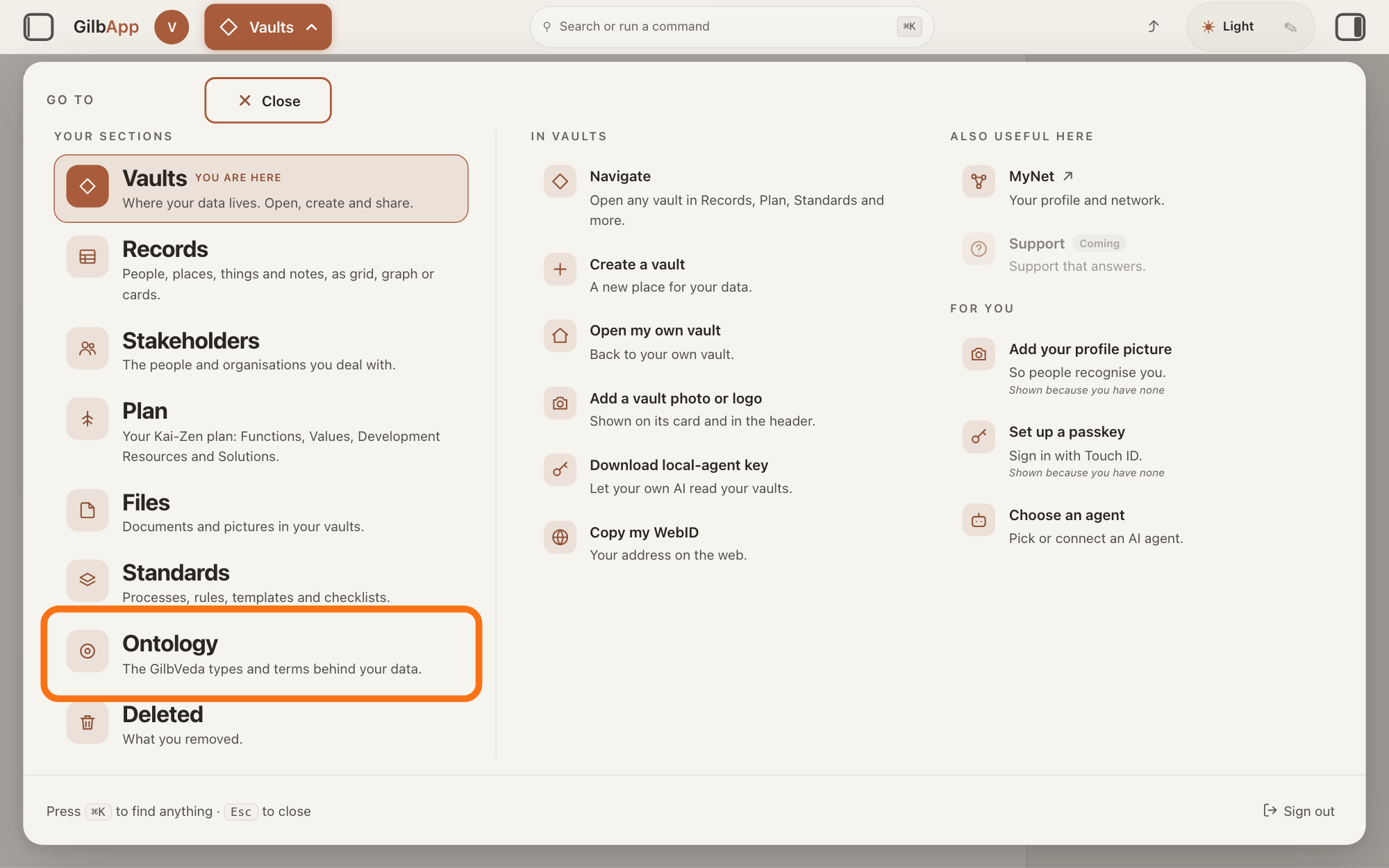
Press Main menu at the top left and choose Ontology.
Press Main menu, next to your profile picture at the top left, and under YOUR SECTIONS choose Ontology. The button shows the name of the section you are in, such as Vaults.
Show as text
The panel headed "GO TO" is open over the window. In the left column under "YOUR SECTIONS", near the bottom, the outlined row reads "Ontology" and "The GilbVeda types and terms behind your data." Click it to open the Ontology screen.
More about this
A panel headed GO TO opens; Ontology reads The GilbVeda types and terms behind your data. It always opens on GilbVeda, the shared list of terms: the button at the top left of the screen reads GilbVeda Ontology, the cursor is in the box marked CONCEPTS, and below are three columns, TYPES, FUNCTIONS and VALUES. A type is a kind of thing; a Function is what a system does, written as an action; a Value is a perceived benefit, measured as a number. A term is the shared name GilbVeda keeps for a kind of thing, a detail of it, a link between two things, or a species. The right pane says No concept selected. Resting the pointer on Ontology in the panel shows more choices under IN ONTOLOGY; you need none of them here.
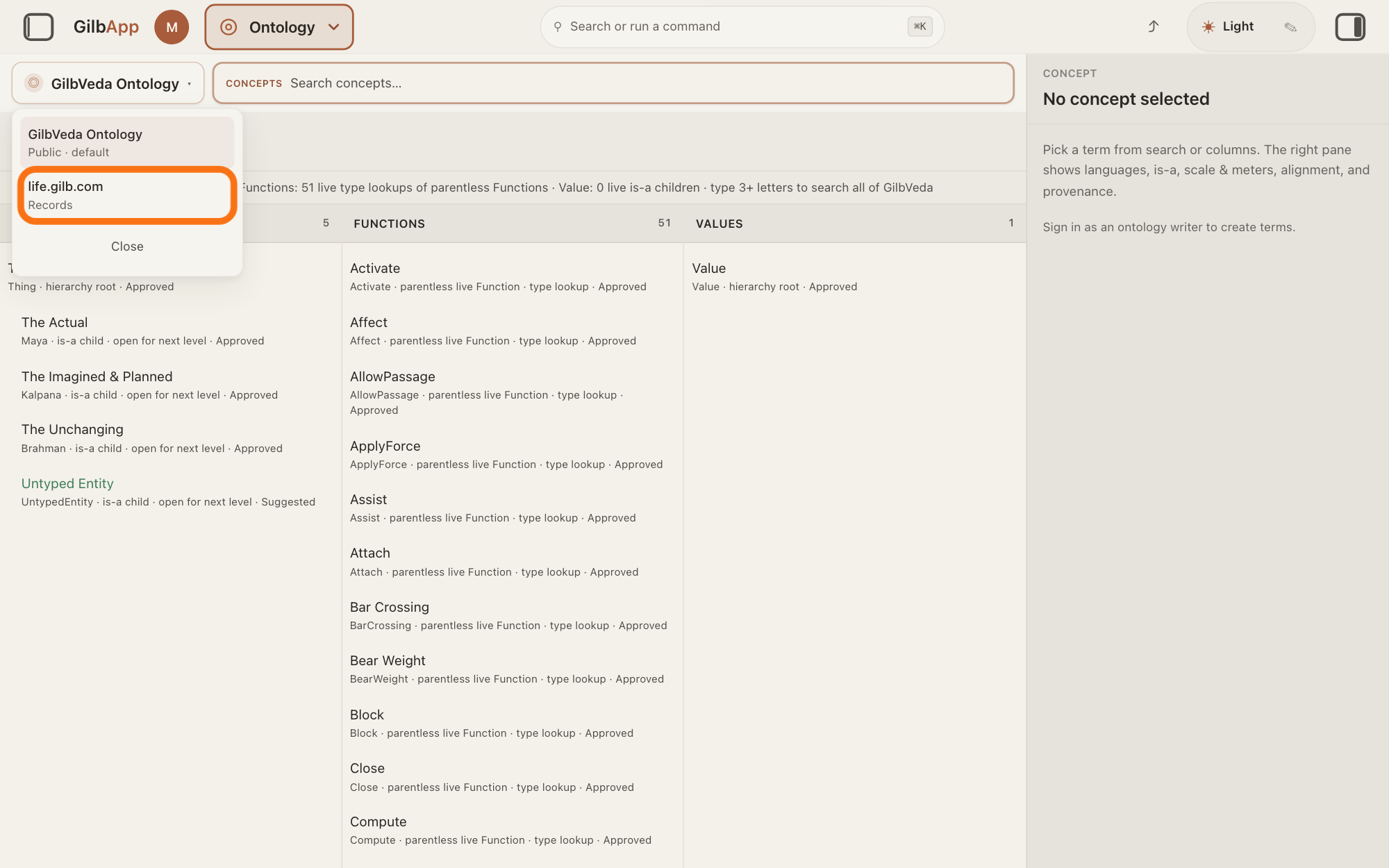
Press GilbVeda Ontology and choose life.gilb.com.
Press the button GilbVeda Ontology at the top left of the screen, and in its list choose life.gilb.com, marked Records. The tree of life opens in one column, TAXON: it is GilbLife, GilbPlatform's list of species, where a taxon is a named group of living things, such as a species, a genus or a family.
Show as text
On the Ontology screen, the button "GilbVeda Ontology" at the top left has opened a short list: "GilbVeda Ontology" with "Public · default", then the outlined "life.gilb.com" with "Records", and "Close". Click "life.gilb.com" to show the tree of life instead of the vocabulary.
More about this
The list also has GilbVeda Ontology, marked Public · default, which goes back, and Close. In the GO TO panel, resting the pointer on Ontology and choosing Life under IN ONTOLOGY opens the tree at once; Search Life does the same and puts the cursor in the box. The bar marked NARROW is not shown in the tree, and the right pane says No record selected until you choose a row.
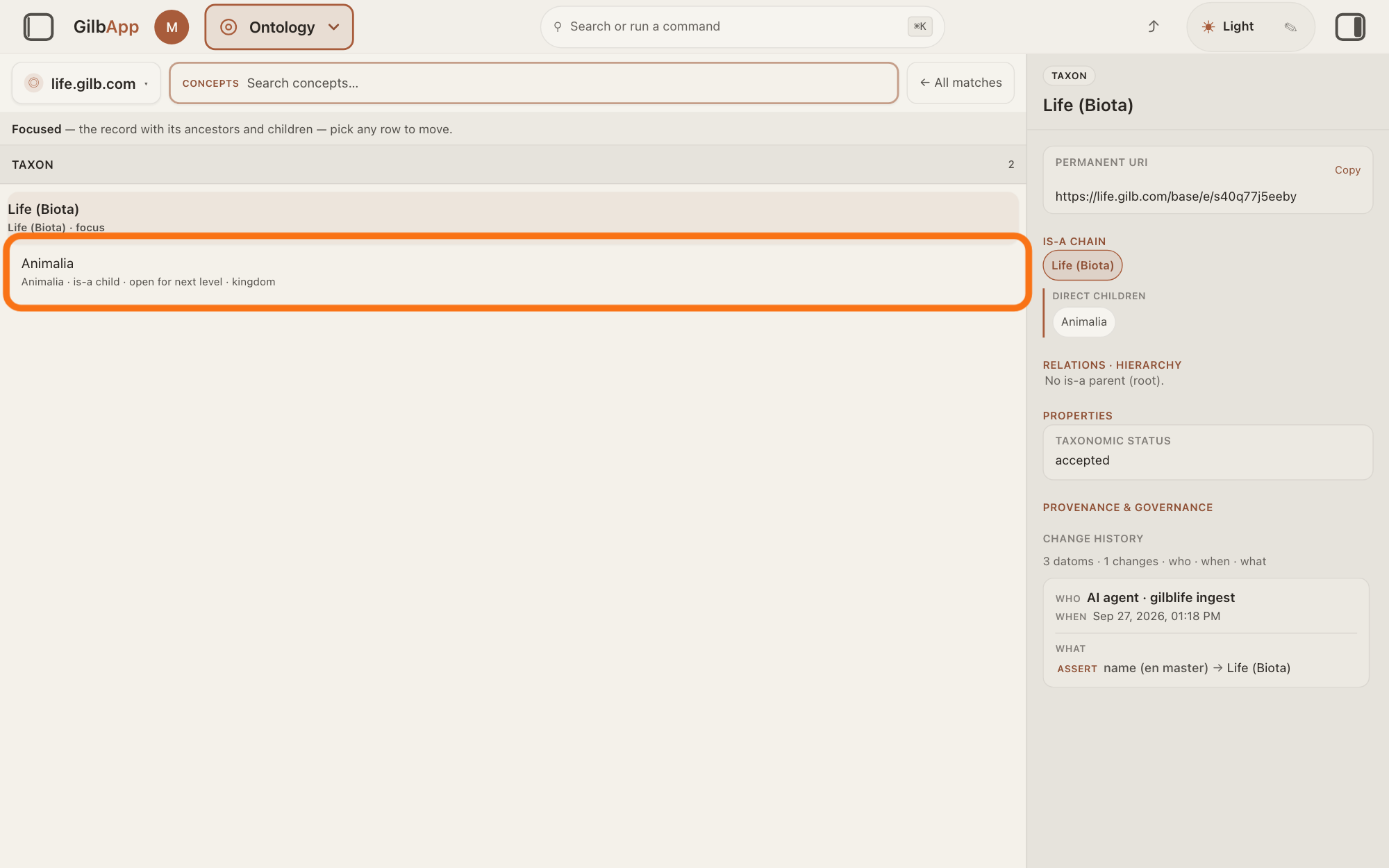
Choose a row in TAXON to go one level down.
Click the row Life (Biota), the root of the tree, then a row under it, such as Animalia. Each choice shows that row with the rows above it and its own groups below, and the right pane shows it.
Show as text
The button at the top left now reads "life.gilb.com". The column "TAXON" shows the root Life (Biota), chosen, and under it its group Animalia, "is-a child · open for next level · kingdom", which is outlined. The right pane shows Life (Biota): its address, its place in the tree and its history.
More about this
Under each name a small line gives its scientific name, its place, such as root · open for next level, is-a ancestor or is-a child, and its rank, such as kingdom, family or species; open for next level means the row has groups of its own. Click a row above to go back up; ← All matches, at the right of the box, shows the root again. The line above the column begins Hierarchy and says type 3+ letters to search all of life.gilb.com.; once a row is chosen it begins Focused.
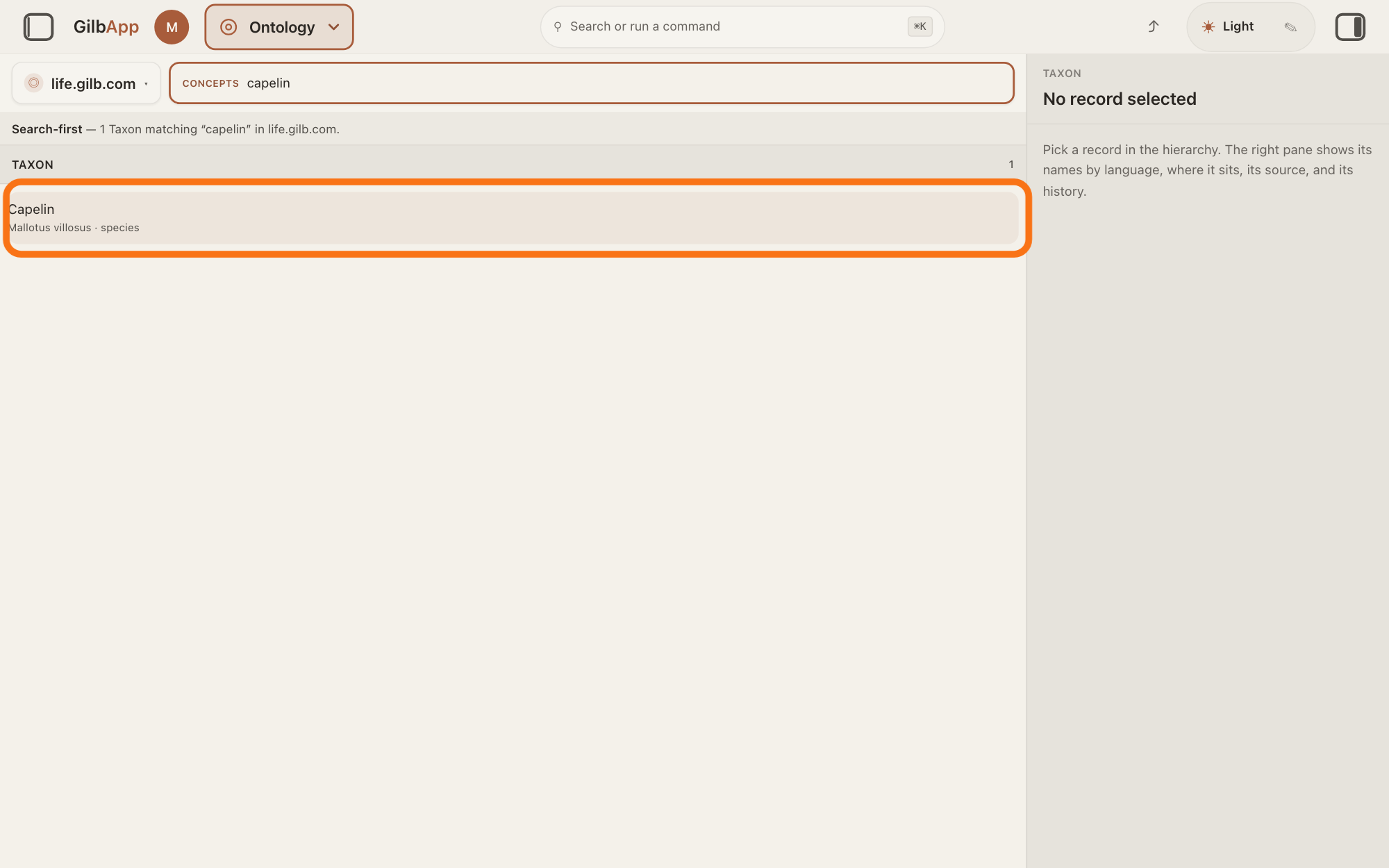
To find a species by name, search and select it in CONCEPTS.
Type at least three letters of the species' common or scientific name in the box marked CONCEPTS, such as capelin, and click it in the column. The column then shows the species with every group above it, up to Life (Biota): its family tree.
Show as text
The word capelin is typed in the box marked "CONCEPTS". The line under it says one Taxon matches. In the column "TAXON", the outlined row reads Capelin with its scientific name and "species". Click it to see its details in the pane on the right.
More about this
Names are matched from the start of a word. ← All matches brings the matches back. If nothing matches, the column says No Taxon matches. A species GilbLife does not have can be added by Agent.Concept, the agent that finds and makes GilbVeda's terms; the answer on suggesting a new term shows how to ask it.
Deeper
Also asked:
What is Life under Ontology? Life, under IN ONTOLOGY in the GO TO panel, opens the tree of life: GilbLife, GilbPlatform's list of species, at life.gilb.com. You can read it there, not change it.
What is a species or a taxon in Life? A taxon is a named group of living things, such as a species, a genus or a family; each row in TAXON is one, and its small line gives its rank, such as species. A species is one kind of living thing, such as capelin.
The right pane shows the chosen group: the badge TAXON, its name, its scientific name and its picture, if it has one; PERMANENT URI, its address; LANGUAGES, when it has names in other languages; IS-A CHAIN and DIRECT CHILDREN; RELATIONS · HIERARCHY, its parent; PROPERTIES, its other facts, such as its rank; EXTERNAL ALIGNMENT, a link to the same group in a public species list, such as GBIF and a number; and CHANGE HISTORY. The answer on reading a term's details and history says more about these parts. A species has no count of apps and no status badge; its PROPERTIES may list its standing among its other facts. GilbApp lets you read the tree here, not change it; only someone who may write to GilbLife can add a picture.
Without an account, open https://gilb.com/app/?section=ontology&ov=https://life.gilb.com/base in your browser. The tree opens read only: the left pane says "You are reading life.gilb.com, a public vault. Nothing here can be changed without signing in.", the top of the right pane says Public, read-only. Sign in to change anything., and Sign in in either place opens the sign-in card. Only a tree GilbPlatform lists as public opens this way; today that is life.gilb.com.
GilbLife does not hold every species: on 10 November 2026 it held about 350 groups, most of them fish. When Agent.Concept adds a species, GilbPlatform finds its place in the tree from GBIF by its scientific name.
This answer is written for a computer screen. In a window narrower than 840 pixels, such as a phone, the side panes are hidden and the right pane is Detail in the bar at the bottom.
Source: GilbApp ebd9415e (Ontology code identical to af0f04ee), code read. Step 1 shared. Step 2: OntologySection.tsx:987-1068 (switcher: label, ◎, ▾, options with Records / Public · default, Close), :767-784 (pick sets ?ov=), :899-912 (one tree column), :850 (no NARROW bar in a tree); treeVaults.ts:176-213 (choices: GilbVeda + listed tree vaults + life probe, label = host); OntologyTreeColumn.tsx:64-74 (title = represented type Taxon, uppercase in OntologyFacetColumn.tsx:97-111; No Taxon matches.); gilbAppMenuRows.ts:244-249 (Life, Search Life); AppShell.tsx (ebd9415e) :435-440 (Life sets ov=life), :1725-1727; public read https://gilb.com/base/vault/tree-vaults (life.gilb.com, vaultRepresents t:Taxon, treeParentAttribute a:parentTaxon, publicRead true) 2026-11-10; GilbVeda t:Taxon ('A TAXON IS KNOWLEDGE THAT DENOTES A BIOLOGICAL KIND — a named class of organisms'), t:TaxonRank (kingdom ... species). Step 3: treeRecords.ts:129-170 (roles root · open for next level, is-a ancestor, focus, is-a child, detail = a:taxonRank, technical = a:scientificName); OntologySection.tsx:612-635 (Hierarchy/Focused, first level — type 3+ letters to search all of life.gilb.com.), :826-834 (← All matches clears the record). Public reads 2026-11-11: Capelin (Mallotus villosus, species) → Mallotus → Osmeridae → Osmeriformes → Teleostei → Chordata → Animalia → Life (Biota). Step 4: treeRecords.ts:367-420 (record Find, prefix match, anonymous for a public tree); public read /base/search?q=capelin|mallotus&type=Taxon&vault=life (both find Capelin). Deeper: OntologyConceptPane.tsx:137-178 (record mode: no apps badge, no status, picture right), :1241, :1288, :1307-1405, :1478-1487 (Properties), :1544-1548 + treeVaults.ts:349-356 (GBIF <n>), :1733-1735 (history from the record's vault); AppShell.tsx (ebd9415e) :715-739 (signed-out ?section=ontology&ov=<public tree>), :1921, :1935, :2110; PublicLeftRegion.tsx:9-48; usePublicTreeVault.ts; Life record count by public paging 2026-11-10 (offset 340 has rows, 360 none); Agent.Concept.ClosedSend ('The server fills them from an exact GBIF match on the scientific name'); GilbPlatform 498d29a0 src/auth/reserved-names.ts:62 (GilbLife = life.gilb.com). Shared: GilbLife gloss and Agent.Concept gloss; computer-screen sentence (word for word).
Checked against GilbApp d529620.