
← Back to Can I export or print my plan?
How do I download a copy of my vault?
Short answer
Press Main menu, choose Vaults, press the vault card's panel button, open MORE · OTHER ADDRESSES, and press Download a copy of this vault.
Before you start
You need to be signed in to GilbApp on a computer, with Control on the vault, as you have on your own. The pictures show a made-up person on a test site; your screen shows your own name and address.
Words used here (4)
- GilbApp
- GilbApp is the app, opened in a web browser at https://gilb.com/app, where you open, fill and share your vaults.
- record
- A record is one piece of data with its own address, such as a person, a place, a thing or a note.
- vault's address
- A vault's address is the web address that names one vault, made from the vault's name, such as https://example-name.gilb.com/vault.
- GilbPlatform
- GilbPlatform is the service that keeps people's and organisations' data in vaults, each at its own web address.
Steps
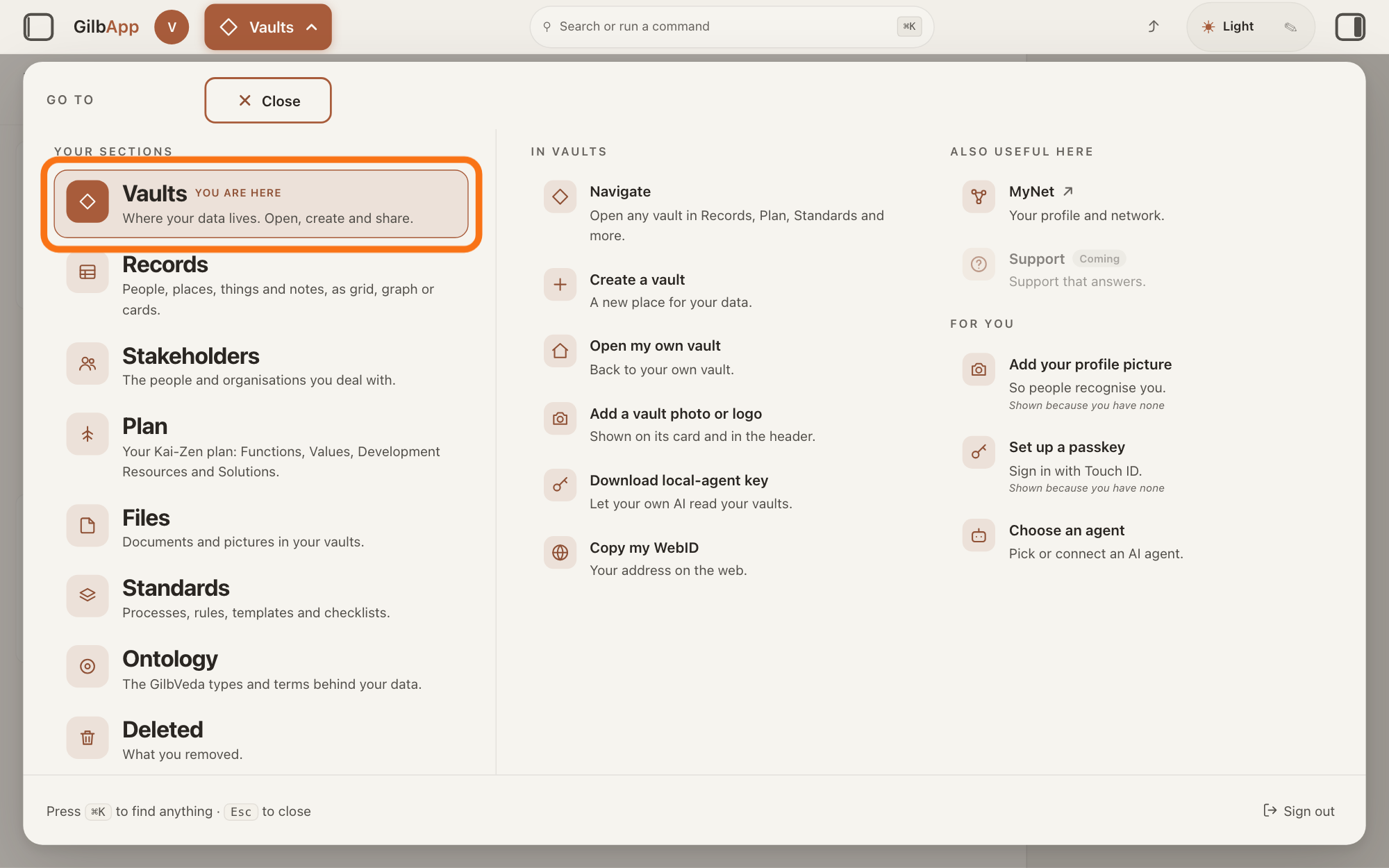
Press Main menu at the top left and choose Vaults.
Press Main menu, next to your profile picture at the top left, and under YOUR SECTIONS choose Vaults. The button shows the name of the section you are in, such as Vaults.
Show as text
At the top left, "Main menu" is open and the panel headed "GO TO" fills the window. In the left column under "YOUR SECTIONS", the outlined row "Vaults" reads "Where your data lives. Open, create and share." Click it.
More about this
A panel headed GO TO opens; Vaults reads Where your data lives. Open, create and share. The Vaults screen lists your vaults as cards; a vault is the place where a person or a group keeps their records. For your own vault, Open my own vault under IN VAULTS opens its details at once; that is the answer on opening your own vault.
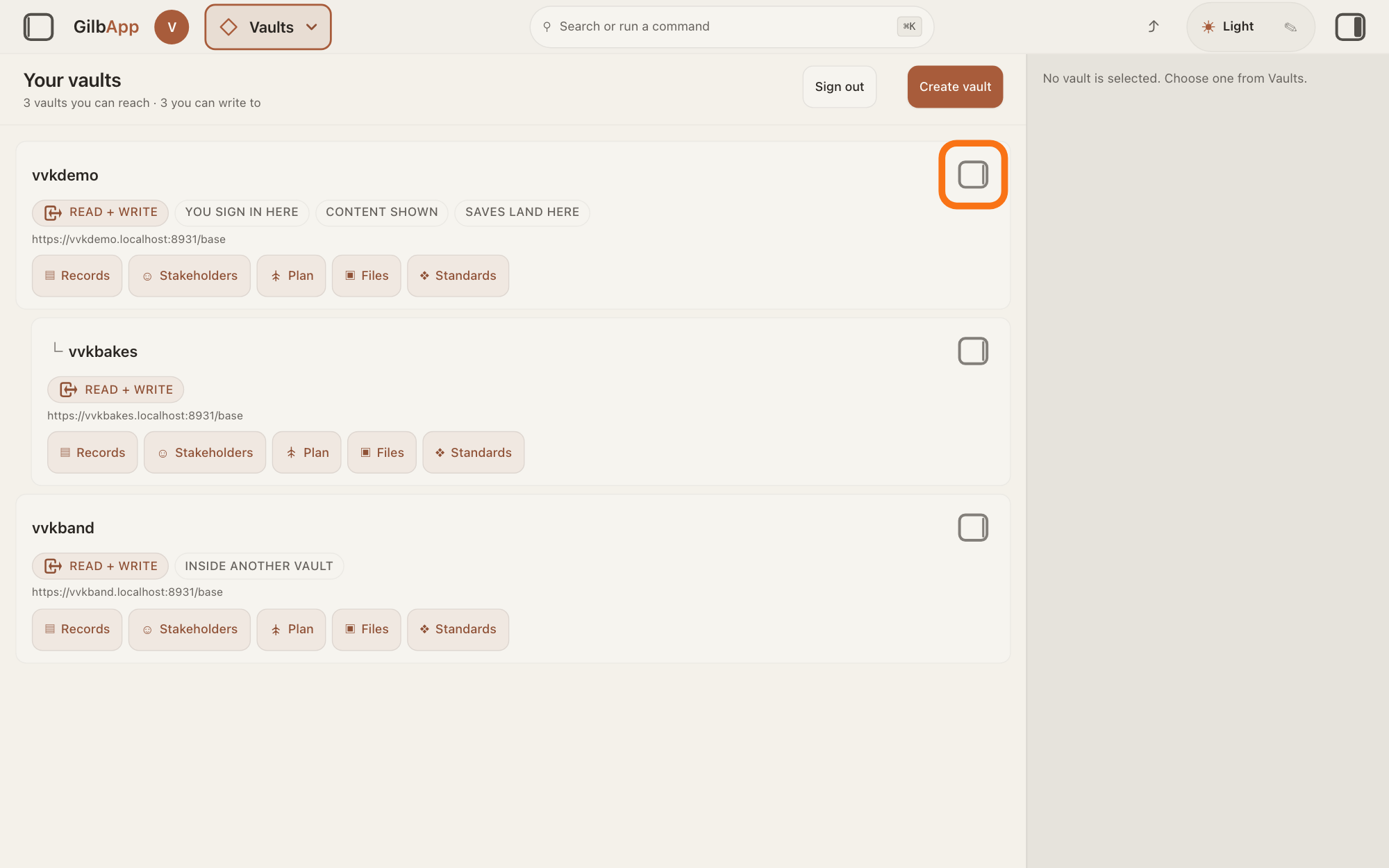
Press the panel button at the top right of the vault's card.
Press the small square button at the top right of the vault's card; its hover text is Show vault info. The pane on the right shows that vault's details.
Show as text
The "Your vaults" screen lists your vaults as cards, and the pane on the right reads "No vault is selected. Choose one from Vaults." At the top right of your own vault's card, the first card, the small square button is outlined. Click it to show that vault in the pane.
More about this
Clicking the card itself only selects it; on a computer it does not open the pane. The buttons on the card, such as ▤ Records, open the vault in those sections, and Sign out and Create vault sit above the cards; you do not need them here.
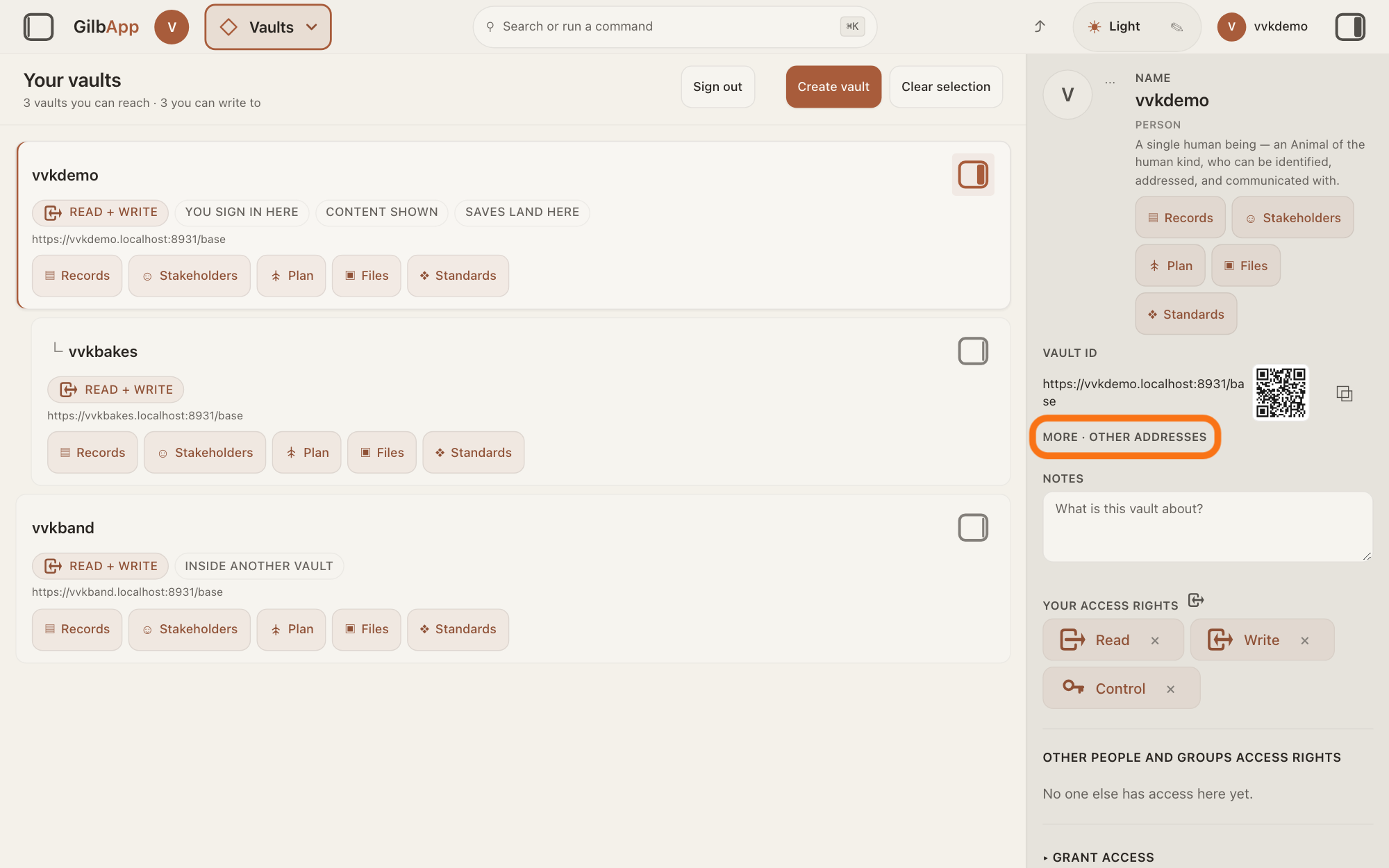
Open MORE · OTHER ADDRESSES.
Press MORE · OTHER ADDRESSES below VAULT ID, near the top of the pane. It opens and then reads LESS · OTHER ADDRESSES.
Show as text
Your vault's details are in the pane on the right. Under "VAULT ID", below the address and the small QR code, the outlined line reads "MORE · OTHER ADDRESSES". Click it to open the other addresses.
More about this
It shows SIGNED IN AS and the address you are signed in as, with ⧉ to copy it; on your own vault it also says Sign-in: this is the vault you are signed in to. For a vault made inside another, SITS INSIDE above it shows the other vault's address. VAULT ID, with the vault's address, a QR code, a square pattern a phone camera can read, and ⧉, and the rest of the pane, told in the answer on opening your own vault, are not needed here. Download a copy of this vault shows under them only when GilbPlatform has said that you hold Control on this vault.
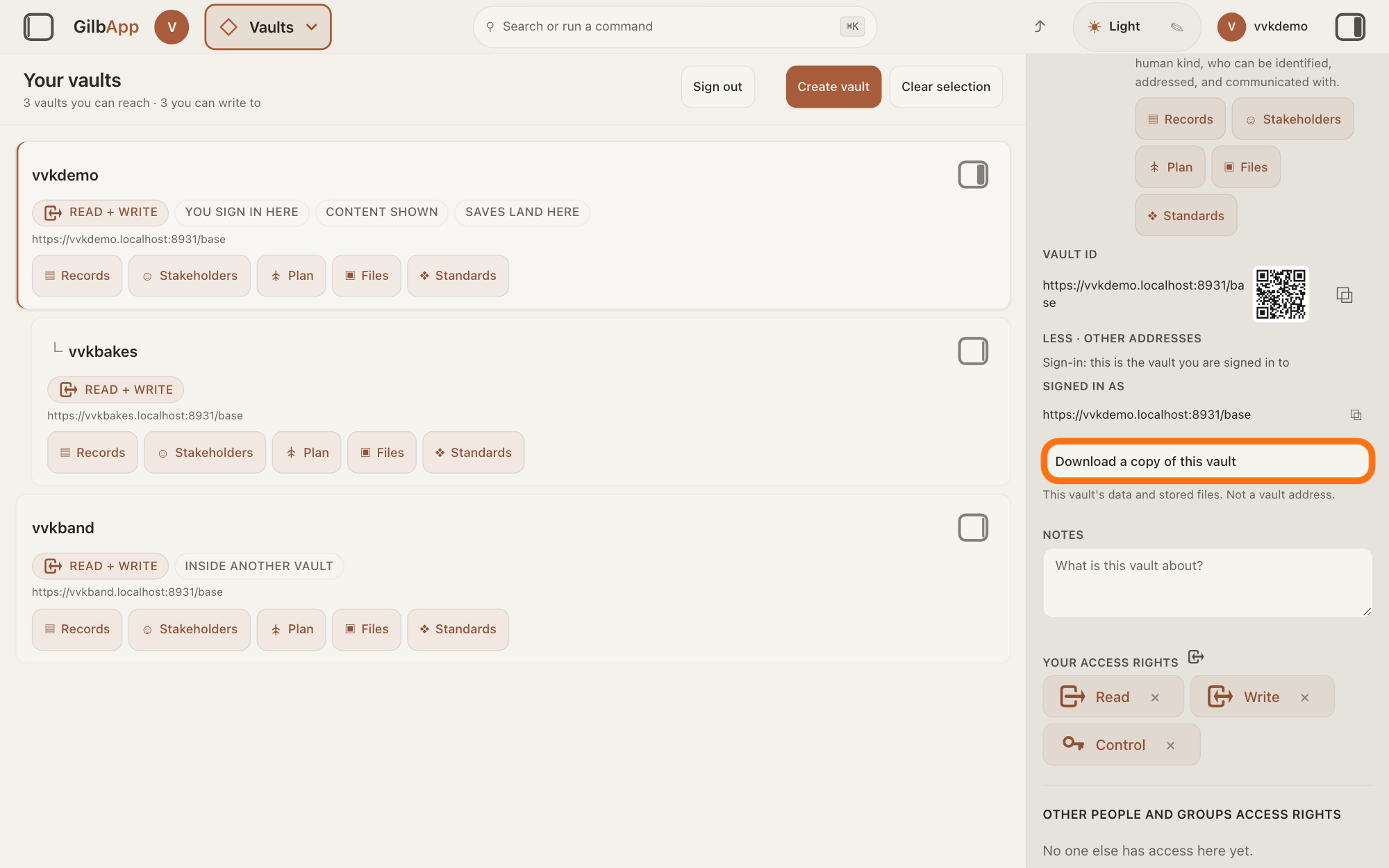
Press Download a copy of this vault.
Press Download a copy of this vault. It reads Preparing a copy… until the whole copy has arrived; then your browser saves it as one file whose name ends in .tar, a file that packs many files together.
Show as text
The pane now reads "LESS · OTHER ADDRESSES", "Sign-in: this is the vault you are signed in to" and "SIGNED IN AS" with your address. Below it, the outlined button reads "Download a copy of this vault". Press it to save the copy.
More about this
The line under the button, This vault's data and stored files. Not a vault address., says that this is a download, not another address of the vault. Your browser saves it as it saves any download. A large vault takes longer; your browser holds the whole copy before it saves it. If the copy cannot be made, a line in red under the button says why, such as You don't hold Control on this vault, so you can't take a copy of it.
Deeper
Also asked:
Can I download all my app's data? Yes, vault by vault, where you hold Control: the copy holds all of a vault's records and stored files. That includes the vault GilbPlatform makes for your app (not a website) when it is published, which you own. Your users' own vaults are theirs.
How do I get my records out of GilbApp, for example into a spreadsheet? Take a copy of the vault with the steps here: its file datoms.json holds the facts of every record. GilbApp has no button that saves records as a spreadsheet today; if you need this, write to [email protected].
Can I take all my data with me if I leave? Yes, for each vault where you hold Control, as on your own: the copy holds all its records as they are now and every stored file. Deleted records and the earlier versions of a record are not in it.
Should I keep my own copy of my vault? It is your choice. GilbPlatform backs up everything every night and keeps the backups up to 12 months, but you cannot restore them yourself. A copy you download is one you hold yourself; take a new one when you want it up to date.
The copy holds the vault's records as they are now and every file stored in the vault, also files removed with 🗑 Remove from register. It does not hold deleted records or the earlier versions of a record; those stay in the vault's history on GilbPlatform; the answer on seeing a record as it was before shows a record's history.
Inside the .tar file are three parts: manifest.json, a list of everything in the copy; datoms.json, the facts of every record, each with its value; and the folder blobs, with the stored files. A stored file there is named by a long code made from its contents, not by its own name; manifest.json gives each file's name, where it has one, beside its code.
Whoever holds Control on a vault decides who else may read or write there. Only someone who holds Control on the vault sees the button, and GilbPlatform checks Control again when the copy is asked for, so a person with Read or Write only cannot take a copy. Someone you have given Control can take one too, even with no Read there, and the copy holds all the records and files listed above.
Taking a copy changes nothing in the vault, and GilbApp keeps none of it. If the vault's records and its stored files do not agree, GilbPlatform makes no copy at all rather than one with gaps, and the red line gives its reason. Your session needs to re-authorize — try again. means press the button again.
To download one file instead, see the answer on downloading or removing a file. The answer on why your data stays yours says more about what you own.
This answer is written for a computer screen. In a window narrower than 840 pixels, such as a phone, choosing a vault card opens its details at once, in a sheet from the right.
Source: GilbApp af0f04ee838a4d55887d2ff1f72edd49a4ff7ca0 (https://gilb.com/app/version.json read 2026-11-10), read: src/shell/gilbAppMenuRows.ts:75-76 (Vaults, Where your data lives. Open, create and share.); src/components/VaultsView.tsx:248-262 (panel button, title Show vault info); src/components/VaultDetail.tsx:261-268 (the toggle More · other addresses/Less · other addresses, drawn in capitals by LABEL, VaultNoteField.tsx:17-18), :229-258 (Vault id, Sits inside above the toggle), :283-290 (Sign-in: this is the vault you are signed in to, Signed in as with copy ⧉, CopyIdButton.tsx:39-45), :295-325 (button only when hasControl; Preparing a copy…/Download a copy of this vault; This vault's data and stored files. Not a vault address.; red error line role=alert); src/lib/base/vaultTakeOwnCopy.ts:8-10 (Control re-checked at Base), :33-37 (file name from Content-Disposition, else vault-copy.tar), :60-76 (401 Your session needs to re-authorize — try again., 403 You don't hold Control on this vault, so you can't take a copy of it., 409), :81 (whole body read before saving), :90-106 (browser download, object URL revoked: no copy kept). GilbPlatform 4d008a55367a6e7453920c463a8923df37de62e9 (https://id.gilb.com/version read 2026-11-10), code read at 4d008a55: src/routes/vault.ts:920-957 (POST /base/vault/export/archive, authorizeExport first, tar with attachment name base-vault-export-<key>.tar), :905-918 (/base/vault/export, same gate); src/auth/vault-export.ts:23-28 and :135-157 (current-state facts only, op=1 AND tx_to IS NULL; the full history is not in it), :79-132 (authorizeExport: tombstoned or cut vault refused; Control required, Read or Write not enough; A Control holder who does not also hold Read still receives the complete copy); src/files/vault-export-archive.ts:9-31 (completeness gate, 409 before any byte; manifest.json, datoms.json, blobs/<sha256>), src/files/file-store.ts:193-208 (manifest lists live and ended files, with fileName); src/lws/routes.ts:146-150 and src/lws/crud.ts:37-41 (a deleted record has zero current facts); src/server/cors.ts:985-989 (Content-Disposition not in the exposed headers). Developer guide docs/BASE-DEVELOPER-GUIDE.md §8.4 :7994-8013; Dev.Guide.Files.Export (2026-11-10: Both need control on that vault, not read. An export includes ended files too.; refusals verified on production 2026-10-15; a successful export and ended files in it not yet verified on production). GilbPlatform 0fc5a548 (live build, 14 November 2026): src/publish/app-vault.ts:1-7 (a published app's own vault, owned by the person who published it). Live page: Is my vault backed up, and how much can I store?.
Checked against GilbApp d529620.