
← Back to I stopped in the middle. Where do I continue?
How do I end a session?
Short answer
With Kai-Zen chosen in the chat, type close in Write a message…, press Send, and wait until Kai-Zen says you can close.
Before you start
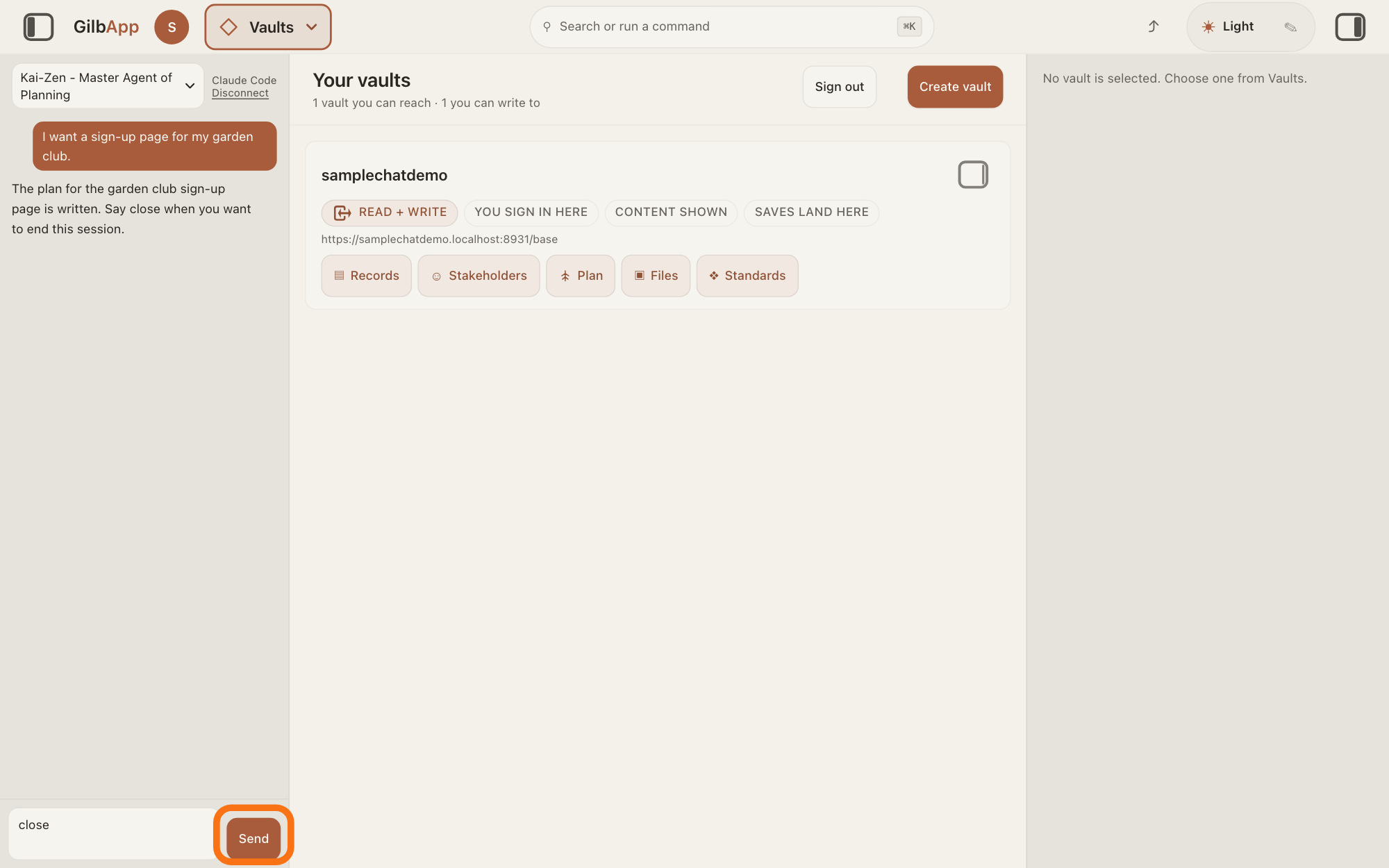
A session with Kai-Zen open in GilbApp's chat, with Kai-Zen - Master Agent of Planning chosen in the agent list. The pictures show a made-up person on a test site; your screen shows your own name and address.
Words used here (6)
- Kai-Zen
- Kai-Zen is the planning agent: it finds out what you want, chooses the way, hands the work to other agents and reports back.
- session
- A session is one stretch of work with an agent, from its start until you close it; with Kai-Zen it ends in a handoff.
- GilbApp
- GilbApp is the app, opened in a web browser at https://gilb.com/app, where you open, fill and share your vaults.
- agent
- An agent is your AI following one written procedure, its standing instructions, for one kind of work.
- project
- A project is work to bring about a change you want, such as a new app or a better way of doing something.
- handoff
- A handoff is the note Kai-Zen writes when a session ends: what was done, what is open, and where to start next time.
Steps
Type close in Write a message… and press Send.
In the box that shows Write a message…, type close and press Send. Kai-Zen then closes the session, and its last message tells you what is left open and that you can close the session.
Show as text
The chat is on the left of the screen. At its top the agent list reads "Kai-Zen - Master Agent of Planning", and Kai-Zen's last message ends "Say close when you want to end this session." At the bottom left, close is typed in the message box. Press "Send", outlined in orange, to the right of that box.
More about this
While closing, Kai-Zen finishes or stops the work in hand and says what is not done. It saves everything the session wrote where the project is kept: its vault or the store where its code is kept, and, in Claude Code in Terminal, also its folder on your computer. It puts live what is ready to be live but is not; before that it always stops and asks you. Last, it writes a handoff for the next session, saved with the project: what was done, what is open, and where to start.
Deeper
Also asked:
The menu says Sign out: End this session. Is that the same as ending a session with Kai-Zen? No. Sign out ends your sign-in in this browser. A session with Kai-Zen is one stretch of work in the chat, which you end by typing close.
If I close the tab, does the agent keep working? With Claude Code, no: closing the tab stops it. With Grok, the turn runs on to its end on GilbPlatform, but its answer is lost. What it already wrote in your vaults stays.
A session is one stretch of work with an agent, from your first message until you close it. With Kai-Zen you close it by typing close.
In GilbApp nothing else is needed after Kai-Zen's last message. GilbApp keeps the chat in this browser tab only; the handoff is saved with the project for the next session: what was done, what is open and where to start.
In Claude Code in Terminal, type close and press Return in the same way. When Kai-Zen says you can close, type this line and press Return to leave Claude Code:
/exit
When nothing is running, pressing Control and C twice also leaves it.
Only Kai-Zen runs a close. Jackfruit has no close step: when you are done with Jackfruit, read its report of what it wrote, and stop.
This answer is written for a computer screen.
Source: Kai-Zen step End (When the requester says close, run Kai-Zen.Close) (K kai-zen-06gd2d286dz8s9b6ey63f9e49r); Kai-Zen.Close (K 06ge3wedb5z9kac8xg072nbx54) steps Finish, Git (its folder on the requester's computer, its GilbPlatform vault, or its repo), Deploy, Handoff, Tell (Tell the requester what is left open, and that they can close the session); Kai-Zen.AskRules.Stop (a release always stops); Jackfruit (no close step; Report). GilbApp 0c933e55 src/components/agent/AgentChat.tsx:4-5, :1046, :1063. Claude Code docs, read 2026-11-09: https://code.claude.com/docs/en/commands (/exit: Exit the CLI), https://code.claude.com/docs/en/interactive-mode (Ctrl+C: a second press exits Claude Code). t:AgentWorkSession; folder scoped to Terminal (claude-code-bridge.mjs:865-870).
Checked against GilbApp d529620.