
← Finding your way: the Main menu and sections
How do I follow the news?
Short answer
On myjackfruit.com, press Menu and News; to get each new post, add this feed to your feed reader: https://myjackfruit.com/news/rss.xml
Before you start
To have new posts come to you, you need a feed reader app.
Steps
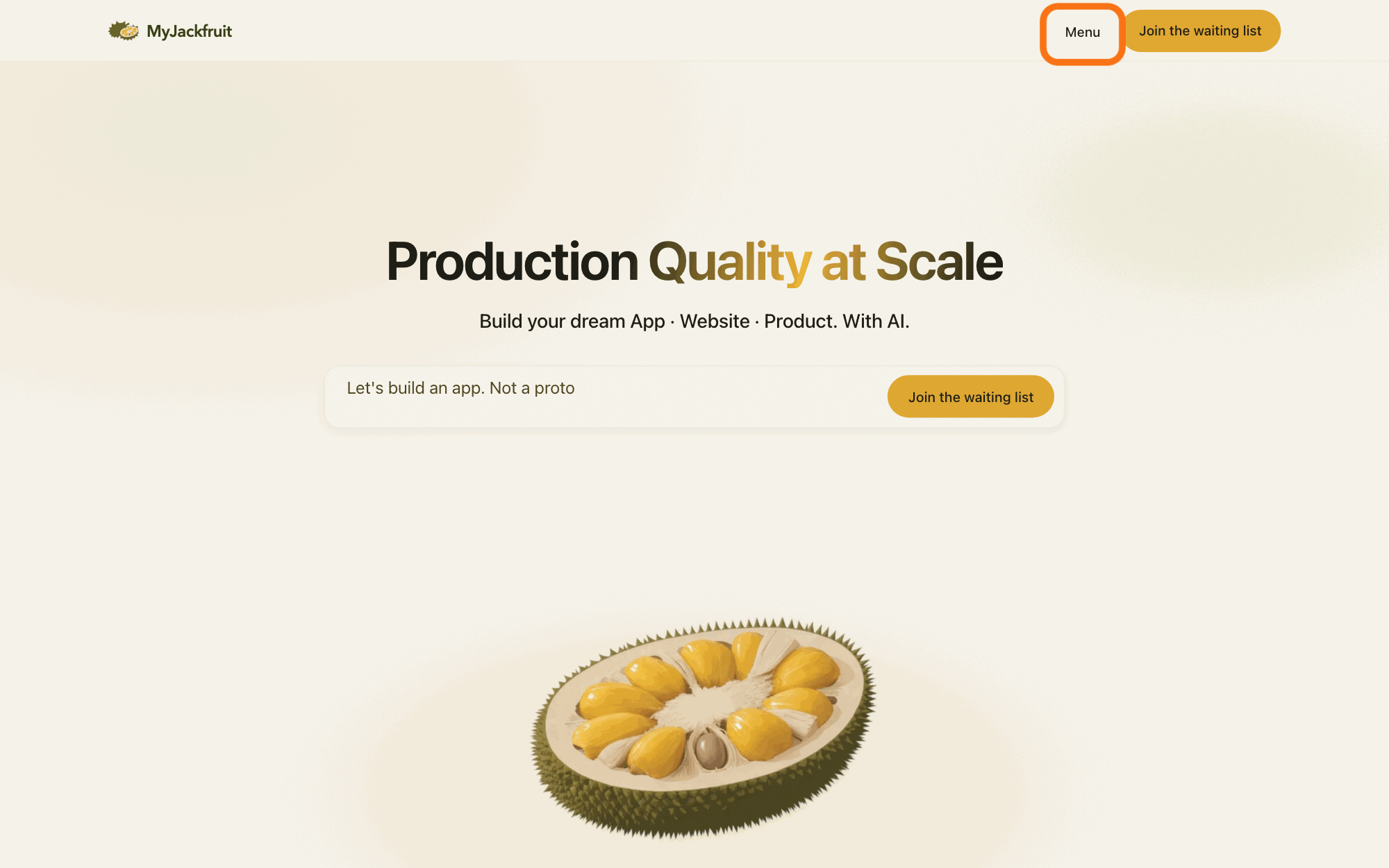
Press Menu at the top of any page on myjackfruit.com.
Press Menu in the bar at the top of the page; a panel opens, and the button now reads Close.
Show as text
A page of the MyJackfruit website, here the home page with "Production Quality at Scale". In the bar at the top, right of the MyJackfruit name and left of the yellow "Join the waiting list", the button "Menu" is outlined. Press it to open the site menu.
More about this
The panel also opens when you point at Menu. In a narrow window Menu is replaced by a small menu button with no words. Every page also has News at the bottom, which opens the same page as step 2.
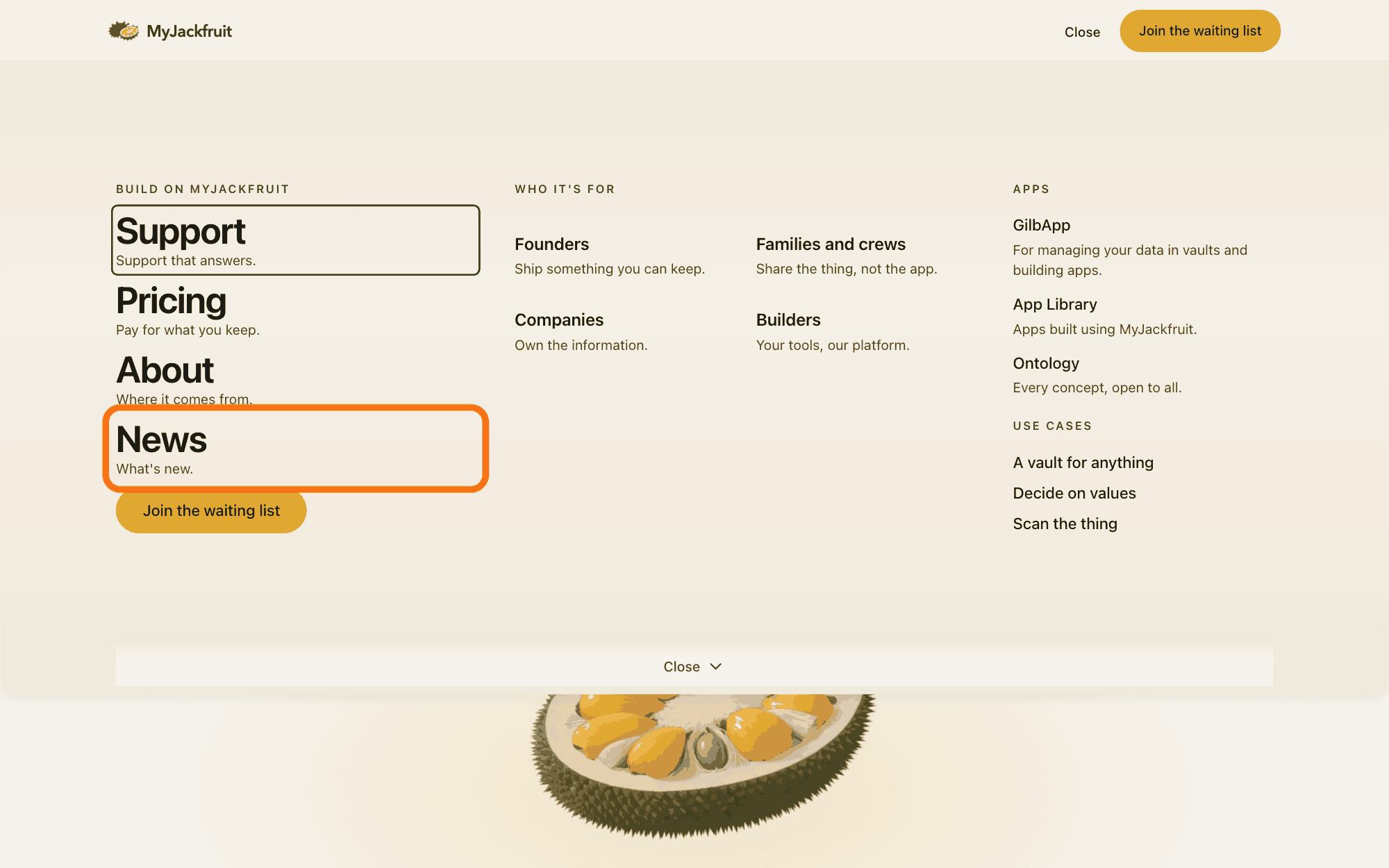
Press News.
Under Build on MyJackfruit in the panel, press News (What's new.); the News page opens, with the newest post first.
Show as text
The menu panel covers the top of the page, and the button at the top now reads "Close". In the left column, "BUILD ON MYJACKFRUIT", the item "News" with its line "What's new." is outlined, under "Support", "Pricing" and "About". Press it to open the news page.
More about this
The same list holds Support, Pricing, About and Join the waiting list, and the panel has more parts, Who it's for, Apps and Use cases; you do not need them. Each post shows its date, its title and a few lines; press a post to read it. Among the posts are weekly release notes, headed This week:, that say what was released that week.
Add the News feed to your feed reader.
In your feed reader, an app that collects new posts from the sites you follow, add this address: https://myjackfruit.com/news/rss.xml
More about this
It is the RSS feed, a list of the posts that feed readers check for new ones; the News page links it as RSS feed at the end of its list. MyJackfruit names no feed reader, and how you add an address depends on yours. The News page offers no other way to have posts sent to you.
Deeper
News is MyJackfruit's own page of posts about what is new. MyJackfruit is the public brand, at myjackfruit.com; it is not another name for GilbPlatform. Its first post, News is here, with an RSS feed to follow it, of October 14, 2026, says News is where Kai Gilb tells you what is new, and that a release post every week, covering what shipped that week, was coming (https://myjackfruit.com/news/news-is-here/).
The feed lists each post with its title, its address, its date and a few lines (https://myjackfruit.com/news/rss.xml).
This answer is written for a computer screen.
Source: MyJackfruit's own public pages, read 2026-11-10: https://myjackfruit.com/news/ (heading News; posts newest first with date, title and a few lines, from October 14 to November 9, 2026; RSS feed link to /news/rss.xml at the end; footer News); header Menu button (visible from 768 pixels wide; a wordless button below that, screen-reader name only); read 2026-11- (same way): https://myjackfruit.com/news/news-is-here/ (October 14, 2026 · Kai Gilb: News. This section, at /news/. It is where I tell you what is new.; An RSS feed. Follow News in any feed reader at /news/rss.xml.; A release post every week, covering what shipped that week.; Add the News RSS feed to your feed reader, and each new post comes to you.), https://myjackfruit.com/news/rss.xml (RSS 2.0, title MyJackfruit News, 12 items, each with title, link, pubDate, creator and description); https://myjackfruit.com/llms.txt (News: news from MyJackfruit, newest first, with an RSS feed at /news/rss.xml.); the site's own page code /_nuxt/Csr0Qp36.js and /_nuxt/CfEcfHFJ.js (what the waiting-list form and the site menu draw), read 2026-11-10 (CfEcfHFJ.js: the panel's parts Build on MyJackfruit (Support Support that answers., Pricing Pay for what you keep., About Where it comes from., News What's new., then Join the waiting list), Who it's for, Apps, Use cases; the button reads Close when open; opens on pointing too). The GilbApp menu item MyJackfruit News is left out by the source rule (Question 1).
Checked against GilbApp 96968de.