
How do I join the waiting list?
Short answer
On myjackfruit.com, press Join the waiting list, type your e-mail in Your email, and press Join the waiting list under the form.
Before you start
You need an e-mail address. The pictures show a made-up person; your screen shows what you type.
Words used here (1)
- GilbApp
- GilbApp is the app, opened in a web browser at https://gilb.com/app, where you open, fill and share your vaults.
Steps
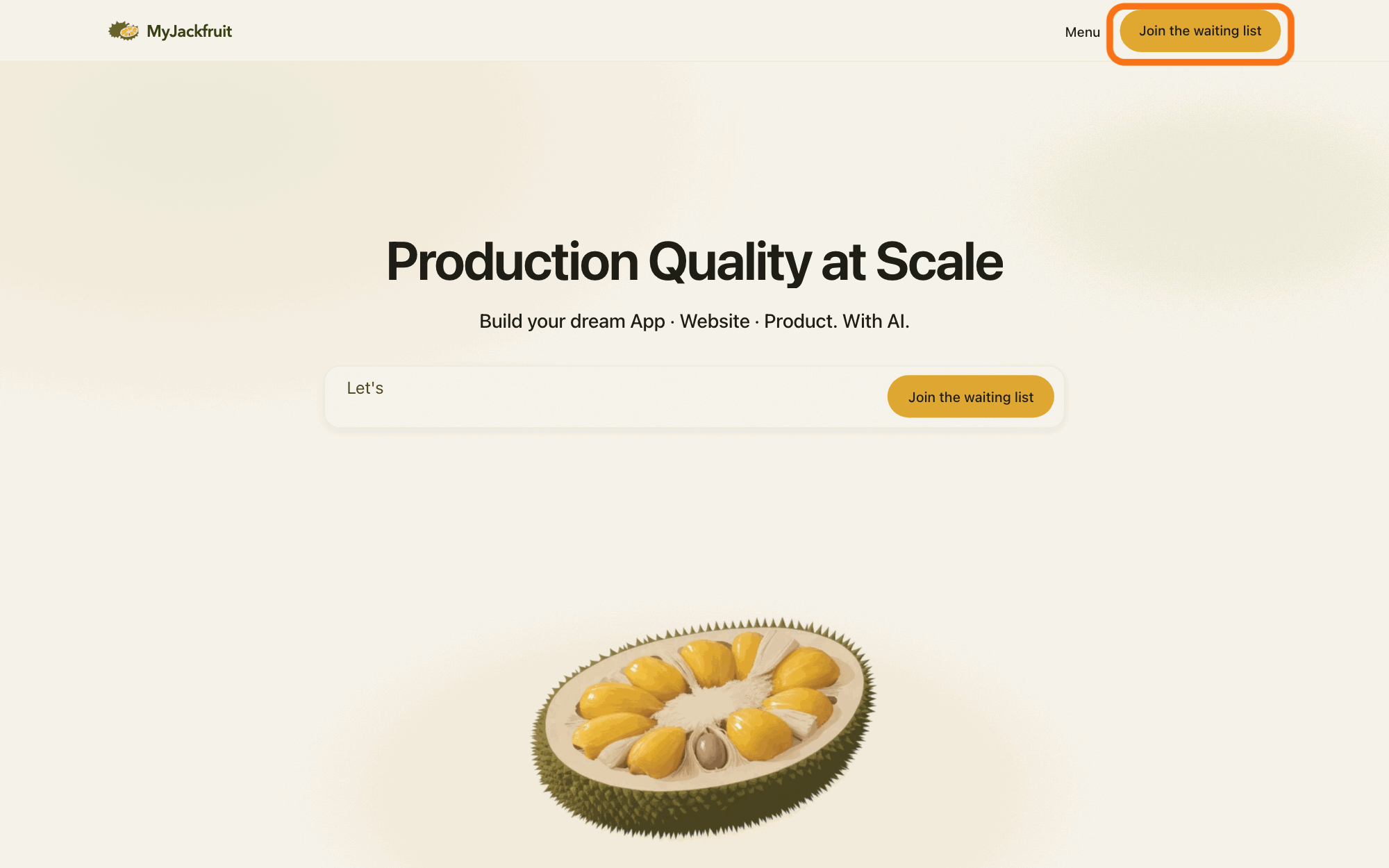
Press Join the waiting list at the top of any page on myjackfruit.com.
Press Join the waiting list at the top of any page on myjackfruit.com; the page Join the waiting list. opens.
Show as text
The MyJackfruit home page with "Production Quality at Scale". In the bar at the top right, the yellow button "Join the waiting list" is outlined, right of "Menu". Press it to open the waiting-list form. The button of the same name in the box below the heading does the same.
More about this
In a narrow window the button reads Join the list. The Free plans on the Pricing page have the same button. You can also type this address in your browser's address bar: https://myjackfruit.com/waitlist/
Type your e-mail in Your email.
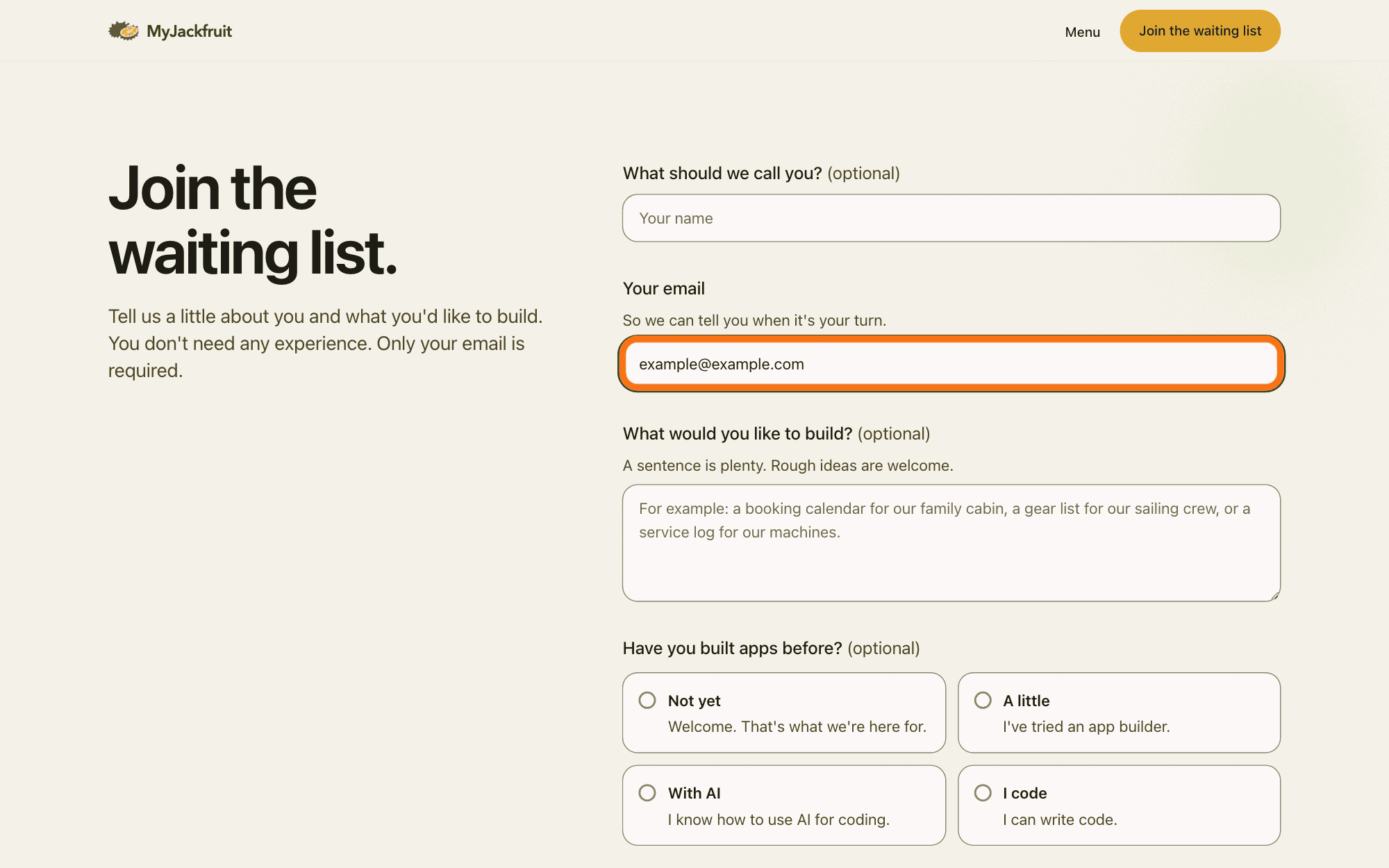
Type your e-mail address in the box under Your email (So we can tell you when it's your turn.). It is the only box you must fill in: Only your email is required.
Show as text
The form "Join the waiting list." is at the right of the page. Under "Your email" and its line "So we can tell you when it's your turn.", the outlined box holds an e-mail address. It is the only box you must fill; "What should we call you?" above it is optional.
More about this
Above it, What should we call you? (optional) takes your name; you do not need it. If the e-mail box is empty when you press the last button, the page says Please add your email so we can reach you.; if the address does not look like one, it says That email doesn't look quite right.
If you like, type or choose answers to the questions marked (optional).
Each of them is optional; leave any of them empty. You don't need any experience.
Show as text
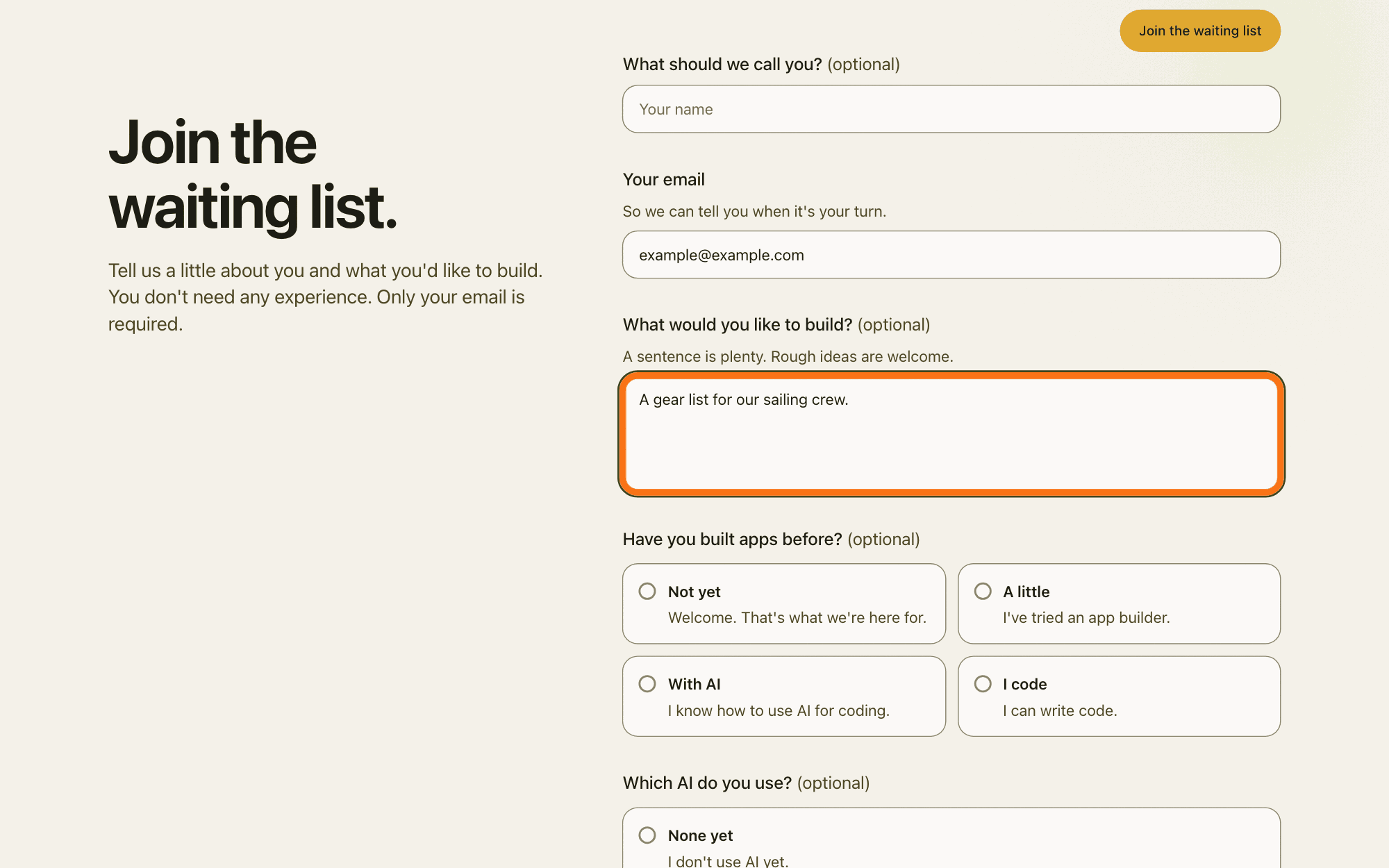
The form is scrolled a little. Under "What would you like to build? (optional)" and "A sentence is plenty. Rough ideas are welcome.", the outlined box holds one short idea. Below it start the choices "Have you built apps before? (optional)", such as "Not yet" and "A little".
More about this
What would you like to build? (optional) takes your idea in your own words (A sentence is plenty. Rough ideas are welcome.). Have you built apps before? (optional) offers Not yet, A little, With AI and I code. Which AI do you use? (optional) offers None yet, Chat and AI on my computer. Who's building with you? (optional) offers Just me, 2 to 5, 6 to 20 and More than 20. Company or team name (optional): Leave it empty if it's just you. Phone (optional): Only if you'd like us to call you.
Press Join the waiting list under the form.
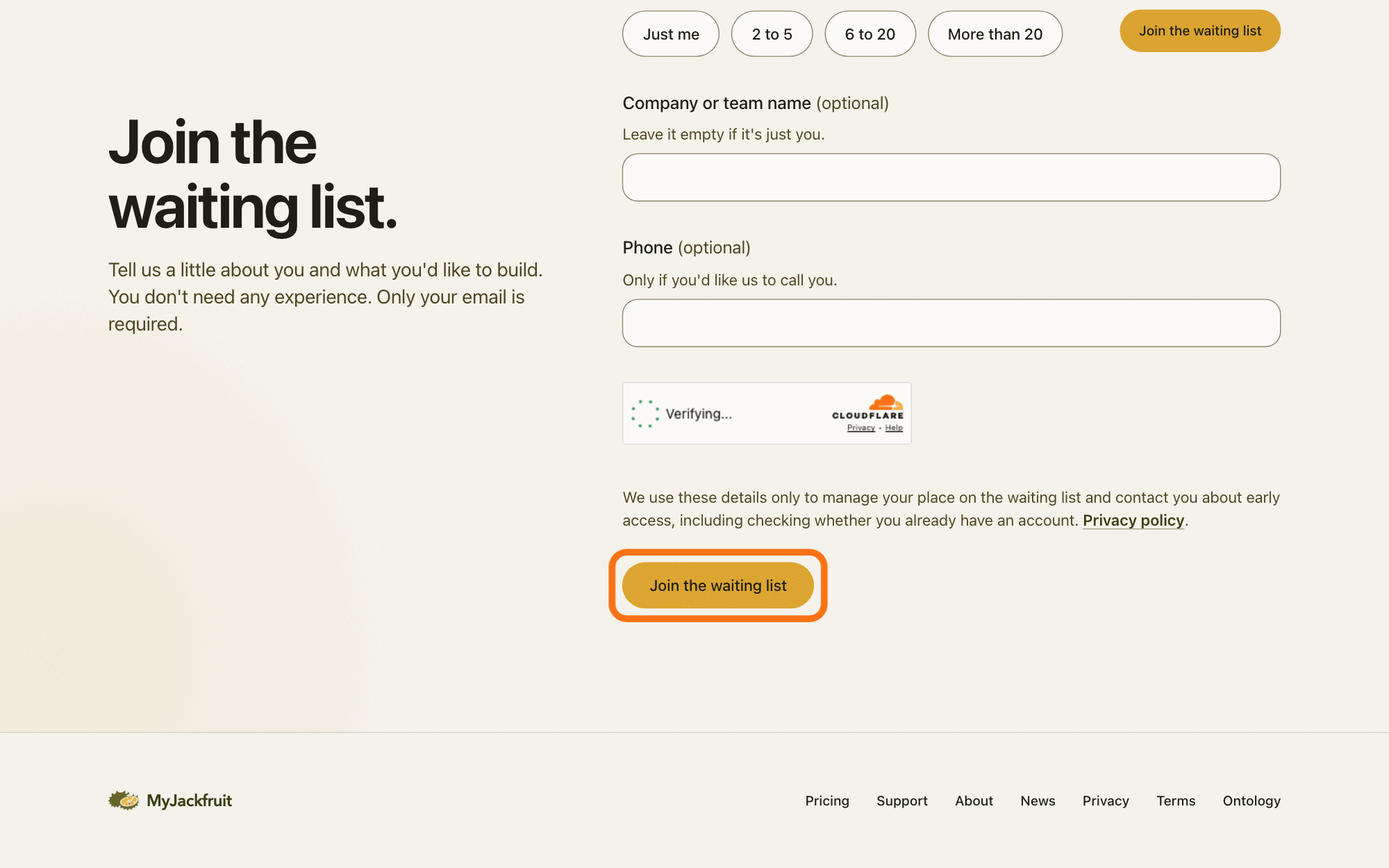
Press Join the waiting list under the form, not the button of the same name at the top of the page. While it sends, the button reads Sending; then the page says You're on the list. and thanks you: We'll write to your address when it's your turn.
Show as text
The end of the form: "Company or team name (optional)", "Phone (optional)", a small box that reads "Verifying..." while it checks that you are a person, and the line about how your details are used, with "Privacy policy". Under it, the outlined button "Join the waiting list" sends the form.
More about this
Above the button the page says: "We use these details only to manage your place on the waiting list and contact you about early access, including checking whether you already have an account.", with the link Privacy policy. The form checks that you are not a bot, a program posing as a person, with Cloudflare Turnstile, which sends your IP address, your computer's address on the internet, to Cloudflare for that check. If sending fails, the page says That didn't go through. Please try again in a moment.
The last screen also says While you wait, you can already sign in to the GilbApp and make a vault., with Open the GilbApp and See how; you do not need them now.
Deeper
Also asked:
How long is the waiting list? The pages do not say how long the wait is. MyJackfruit writes to you when it's your turn.
What happens to what I wrote on the waiting list form? MyJackfruit stores it, only MyJackfruit reads it, and it is used to manage your place and tell you about early access. It is kept until you are offered early access or the list closes, at most 12 months after the last contact; you can ask to remove it sooner.
The waiting list is for early access: you join it, and MyJackfruit writes to you when it's your turn (https://myjackfruit.com/waitlist/). MyJackfruit is the public brand, at myjackfruit.com; it is not another name for GilbPlatform.
MyJackfruit's Privacy page says it stores what you enter: your e-mail address and, if you choose, your name, phone, company, what you want to build, your experience, which AI you use and your team size, and also the notice you saw and the page you sent the form from. Managing your place includes MyJackfruit's own notes, an assessment of how well early access fits you, and your place in line. Only MyJackfruit reads the list. It is kept until MyJackfruit offers you early access or closes the list, and no longer than 12 months after its last contact with you; you can ask to have it removed sooner (https://myjackfruit.com/privacy/). The answer on making a privacy request shows how.
The pages do not say how long the wait is. The answer on signing up shows how to make a vault.
This answer is written for a computer screen.
Source: MyJackfruit's own public pages, read 2026-11-10: https://myjackfruit.com/waitlist/ (heading Join the waiting list.; "Tell us a little about you and what you'd like to build. You don't need any experience. Only your email is required."; labels, help lines and options of the form in order; the notice above the button; button Join the waiting list; field Website is a hidden bot trap, aria-hidden, not shown, so not named); header button on every page (span Join the list below 414 pixels wide, Join the waiting list above, news.html/home.html); https://myjackfruit.com/pricing/ (Free cards: Join the waiting list); https://myjackfruit.com/privacy/ (When you join the waiting list. paragraph; How long we keep it: "Waiting list: until we offer you early access or close the list, and no longer than 12 months after our last contact with you. You can ask us to remove it sooner."); the site's own page code /_nuxt/Csr0Qp36.js and /_nuxt/CfEcfHFJ.js (what the waiting-list form and the site menu draw), read 2026-11-10 (Csr0Qp36.js: button text Sending while sending; Please add your email so we can reach you.; That email doesn't look quite right.; That didn't go through. Please try again in a moment.; done screen You're on the list., Thank you. We'll write to ${email} when it's your turn. (with a name: Thank you, ${name}. ...), While you wait, you can already sign in to the GilbApp and make a vault., links Open the GilbApp (https://gilb.com/app) and See how (/#build)). Nothing was sent: the form was not filled or pressed.
Checked against GilbApp d529620.