
← Back to Can I delete a vault?
How do I leave a vault someone shared with me?
Short answer
Press Main menu, choose Vaults, press the vault card's panel button, and press × on each of your labels under YOUR ACCESS RIGHTS.
Before you start
You need to be signed in to GilbApp on a computer, with Control on the vault someone shared with you; without it, ask someone who holds Control there to take your access away.
The pictures show a made-up person on a test site; your screen shows your own name and address.
Words used here (3)
- GilbApp
- GilbApp is the app, opened in a web browser at https://gilb.com/app, where you open, fill and share your vaults.
- record
- A record is one piece of data with its own address, such as a person, a place, a thing or a note.
- GilbPlatform
- GilbPlatform is the service that keeps people's and organisations' data in vaults, each at its own web address.
Steps
Press Main menu at the top left and choose Vaults.
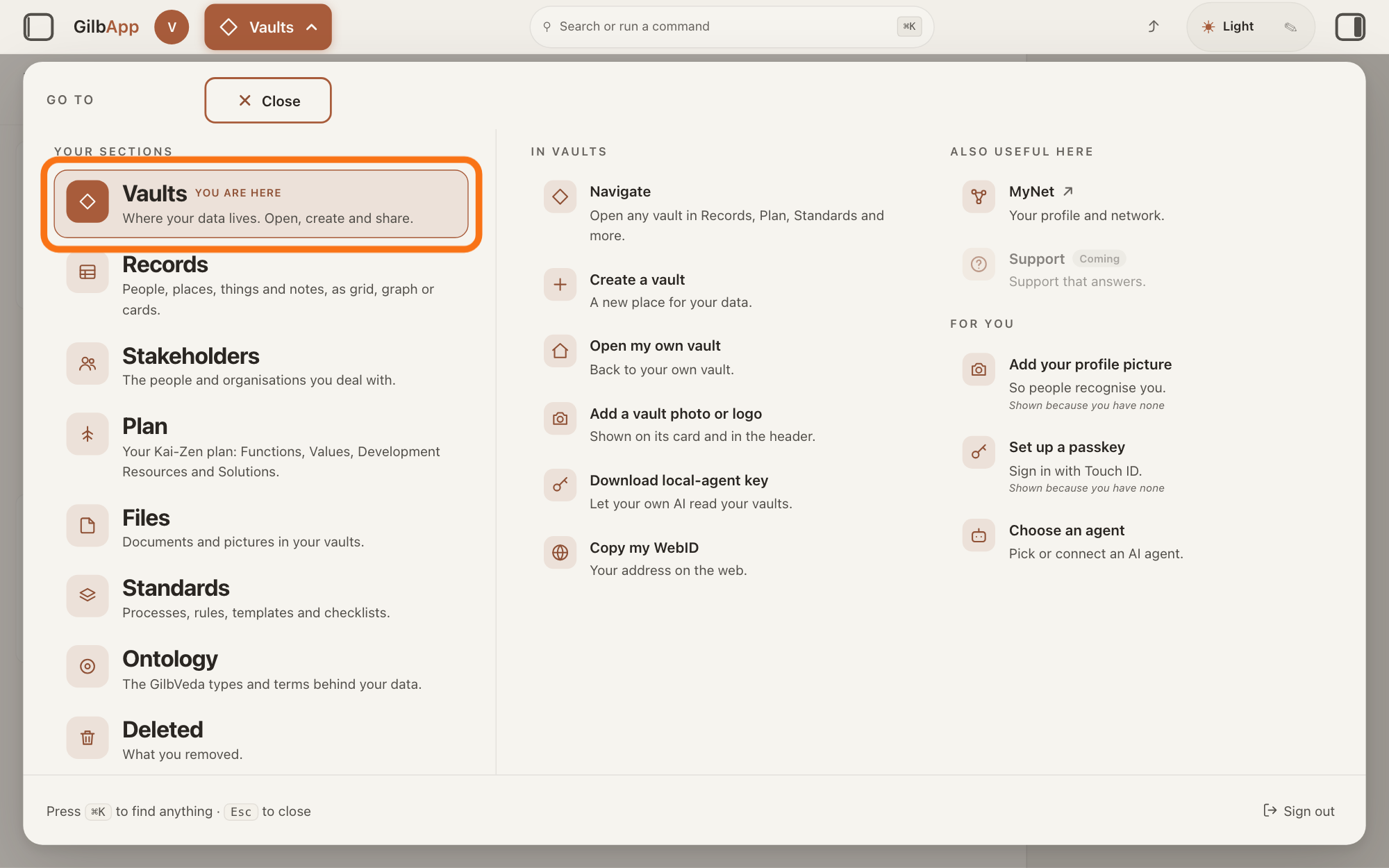
Press Main menu, next to your profile picture at the top left, and under YOUR SECTIONS choose Vaults. The button shows the name of the section you are in, such as Vaults.
Show as text
At the top left, "Main menu" is open and the panel headed "GO TO" fills the window. In the left column under "YOUR SECTIONS", the outlined row "Vaults" reads "Where your data lives. Open, create and share." Click it.
More about this
Open GilbApp on a computer. A panel headed GO TO opens. A vault is where a person or a group keeps their records; the Vaults screen lists your vaults as cards, including the vaults others shared with you.
Press the panel button at the top right of the vault's card.
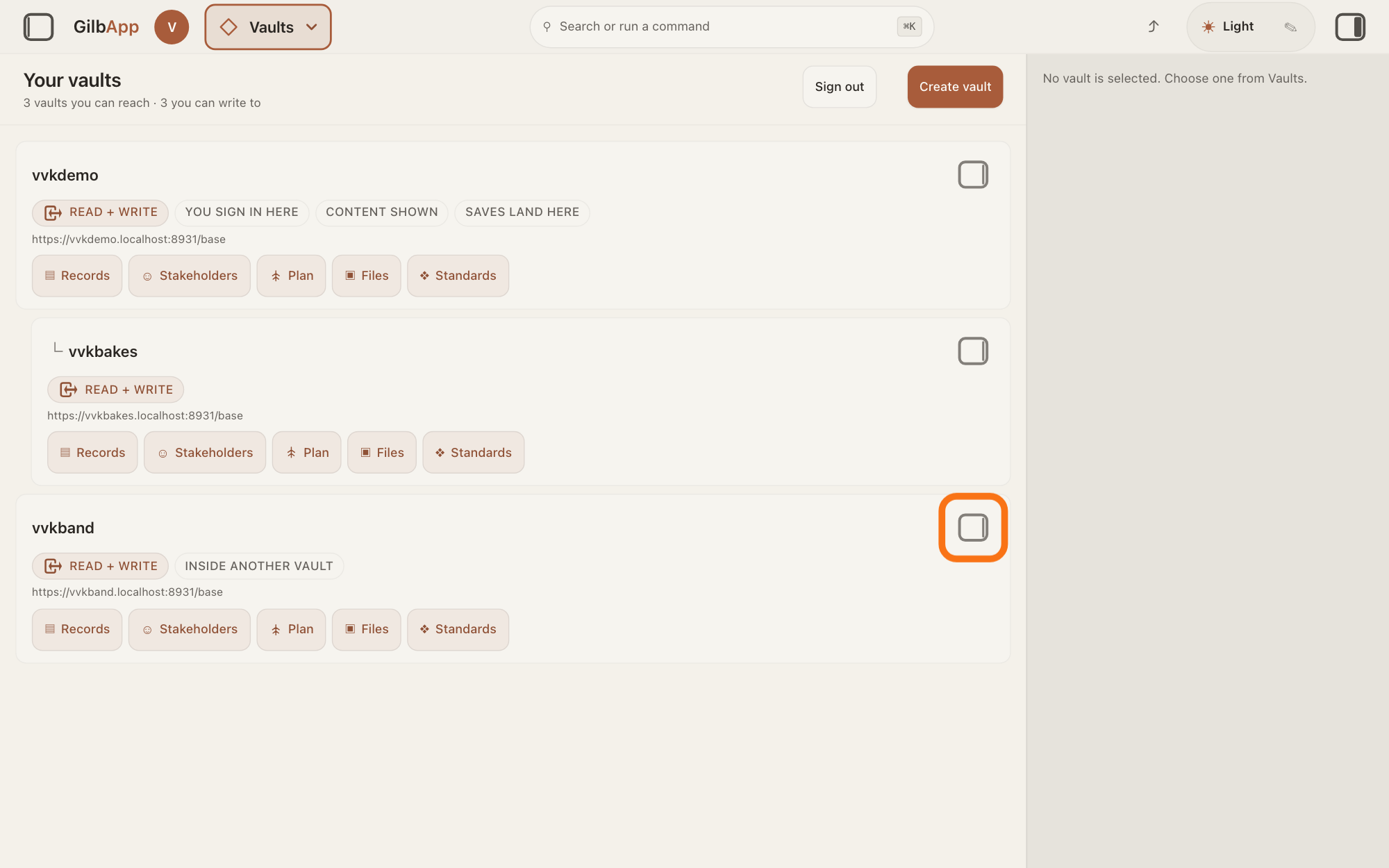
Press the small square button at the top right of the card of the vault you want to leave; its hover text is Show vault info. The pane on the right shows that vault's details.
Show as text
The "Your vaults" screen lists your vaults as cards, and the pane on the right reads "No vault is selected. Choose one from Vaults." At the top right of the last card, a vault someone shared with you, the small square button is outlined. Click it to show that vault in the pane.
More about this
Clicking the card itself only selects it; on a computer it does not open the pane.
Under YOUR ACCESS RIGHTS, press × on each label you want to give up.
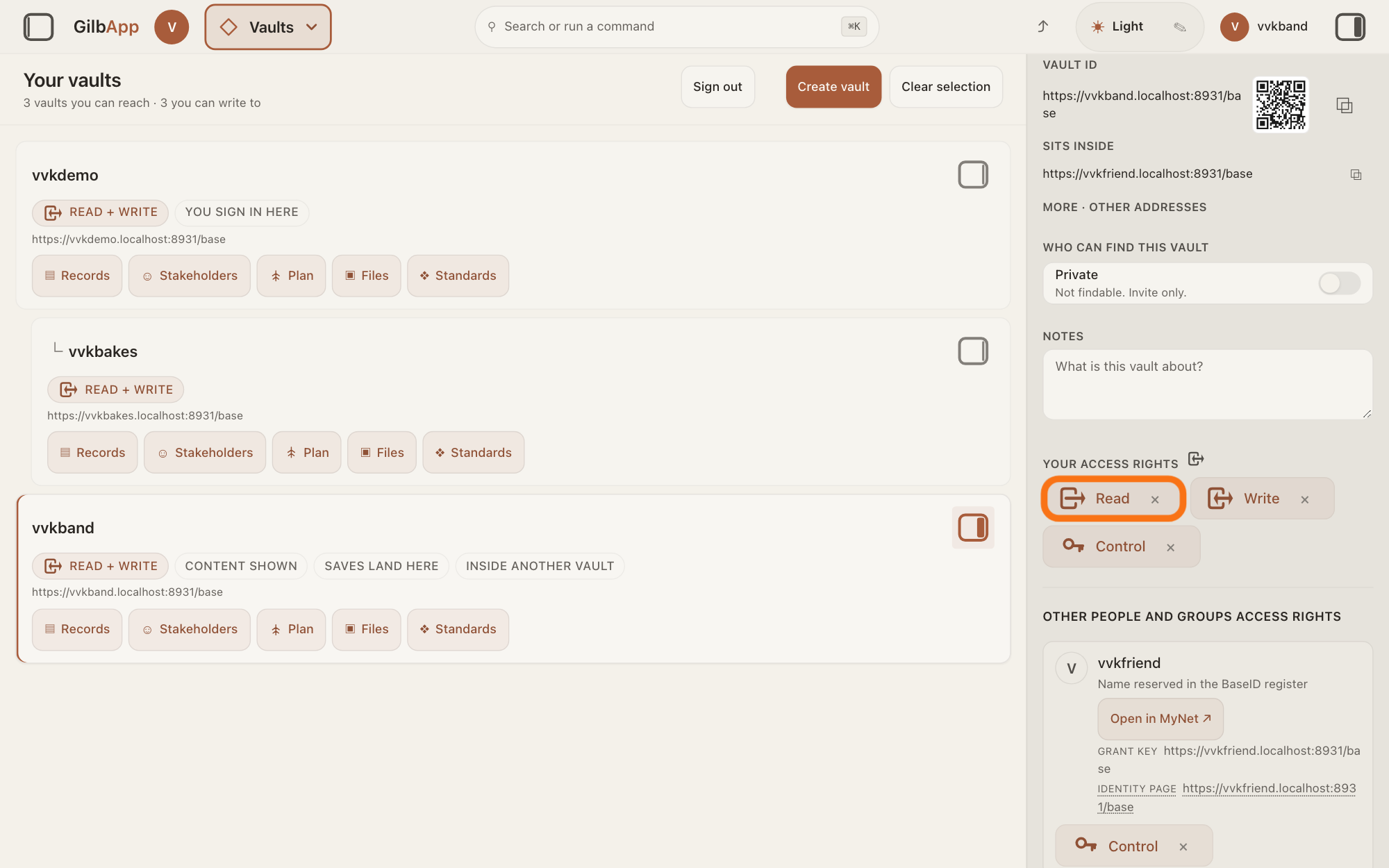
Under YOUR ACCESS RIGHTS, press × on a label, such as Read; its hover text starts Give up your own. Do this for each label you want to give up.
Show as text
In the pane on the right, under "YOUR ACCESS RIGHTS", the labels "Read", "Write" and "Control" each end in a small "×". The "Read" label is outlined. Press its "×" to give up your read; do the same on each label you want to give up.
More about this
GilbApp does not ask first. The labels are Read, Write and Control; each one you give up stops working from your next request. With Read gone and Write kept, you can still write but no longer read. Give up Control last: Control, the access level that lets a person manage who else has access, is what puts the × there, so once it is gone the other labels lose their ×. A label without an × is access you cannot give up here, such as on your own vault, or access that reaches you through another vault. If GilbPlatform refuses, its reason shows in red under the labels. Without Control no label has an ×, and GilbPlatform lets only a holder of Control take access away: ask the person who shared the vault with you.
Deeper
Also asked:
How do I leave a project someone shared with me? A project is kept in a vault, so you leave it as you leave any vault: in its pane, press × on each of your labels under YOUR ACCESS RIGHTS. Without Control there, ask someone who holds it to take your access away.
I no longer want access to someone's vault. How do I leave it? Open the vault's pane from its card in Vaults and press × on each of your labels under YOUR ACCESS RIGHTS, Control last. Without Control there, ask someone who holds it to take your access away.
I left a vault by mistake. Can I get back in? Not by yourself: ask someone who holds Control on that vault to give you access again.
Giving up your access ends only your own access. The vault and everything in it stay as they are for everyone else.
Read or Write you give up on a vault is also given up on the vaults made inside it, unless it was also given to you in another way.
A single record someone shared with you is not listed here; ask the person who shared it to take it away.
To take someone else's access away, use the answer on taking access away.
On a phone or a window narrower than 840 pixels, choosing a vault card opens its details at once, in a sheet from the right. This answer is written for a computer screen.
Checked against GilbApp d529620.