
How do I make a standards group?
Short answer
Press Main menu, choose Standards, press + New group on the right, type the group's name in TITLE, and press Save group.
Before you start
You need to be signed in to GilbApp on a computer, with a vault you can write to, such as your own vault. The pictures show a made-up person on a test site; your screen shows your own name and address.
Words used here (8)
- GilbApp
- GilbApp is the app, opened in a web browser at https://gilb.com/app, where you open, fill and share your vaults.
- record
- A record is one piece of data with its own address, such as a person, a place, a thing or a note.
- entry condition
- An entry condition is something that must be true before a process may start; a process starts only when its entry conditions hold.
- exit condition
- An exit condition is what must be true before a process may finish; when it is true, the process hands back.
- agent
- An agent is your AI following one written procedure, its standing instructions, for one kind of work.
- standards group
- A standards group is a named set of a vault's standards that govern one body of work, such as a project.
- project
- A project is work to bring about a change you want, such as a new app or a better way of doing something.
- GilbPlatform
- GilbPlatform is the service that keeps people's and organisations' data in vaults, each at its own web address.
Steps
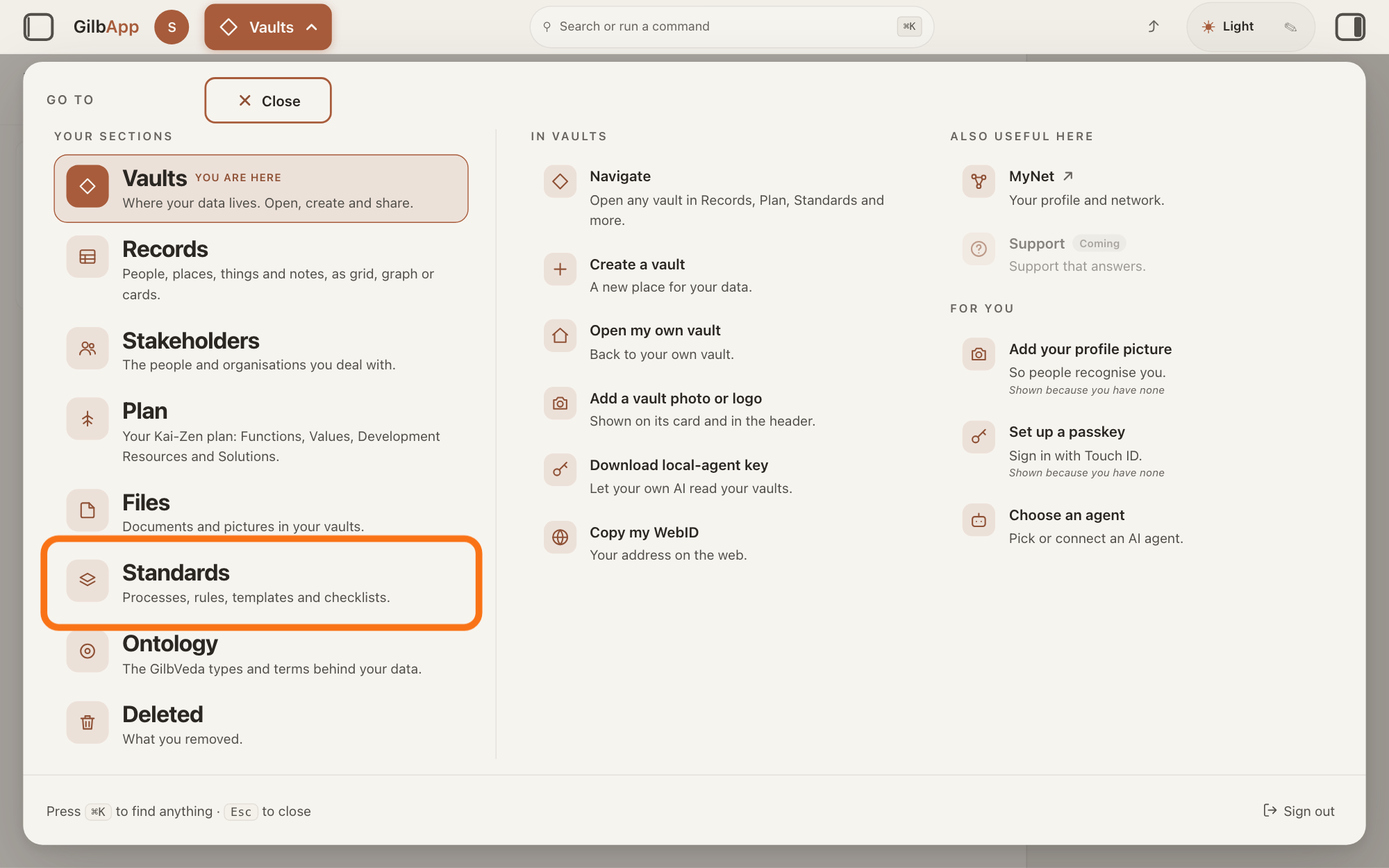
Press Main menu at the top left and choose Standards.
Press Main menu, next to your profile picture at the top left, and under YOUR SECTIONS choose Standards. The button shows the name of the section you are in, such as Vaults.
Show as text
The panel headed "GO TO" covers the screen. In the left column under "YOUR SECTIONS", the row "Standards" with the line "Processes, rules, templates and checklists." is outlined. Press it to open the Standards screen.
More about this
A panel headed GO TO opens; Standards reads Processes, rules, templates and checklists. Standards opens on the vault you picked in Vaults, or on your own vault if you picked none; a vault is the place where a person or a group keeps their records. It opens on the tab Processes, with Process chosen in the row under the tabs. A process is a standard that holds work: entry conditions, steps in order, and exit conditions; a standard is a written procedure, rule set, form or other guide that people and agents follow as they work.
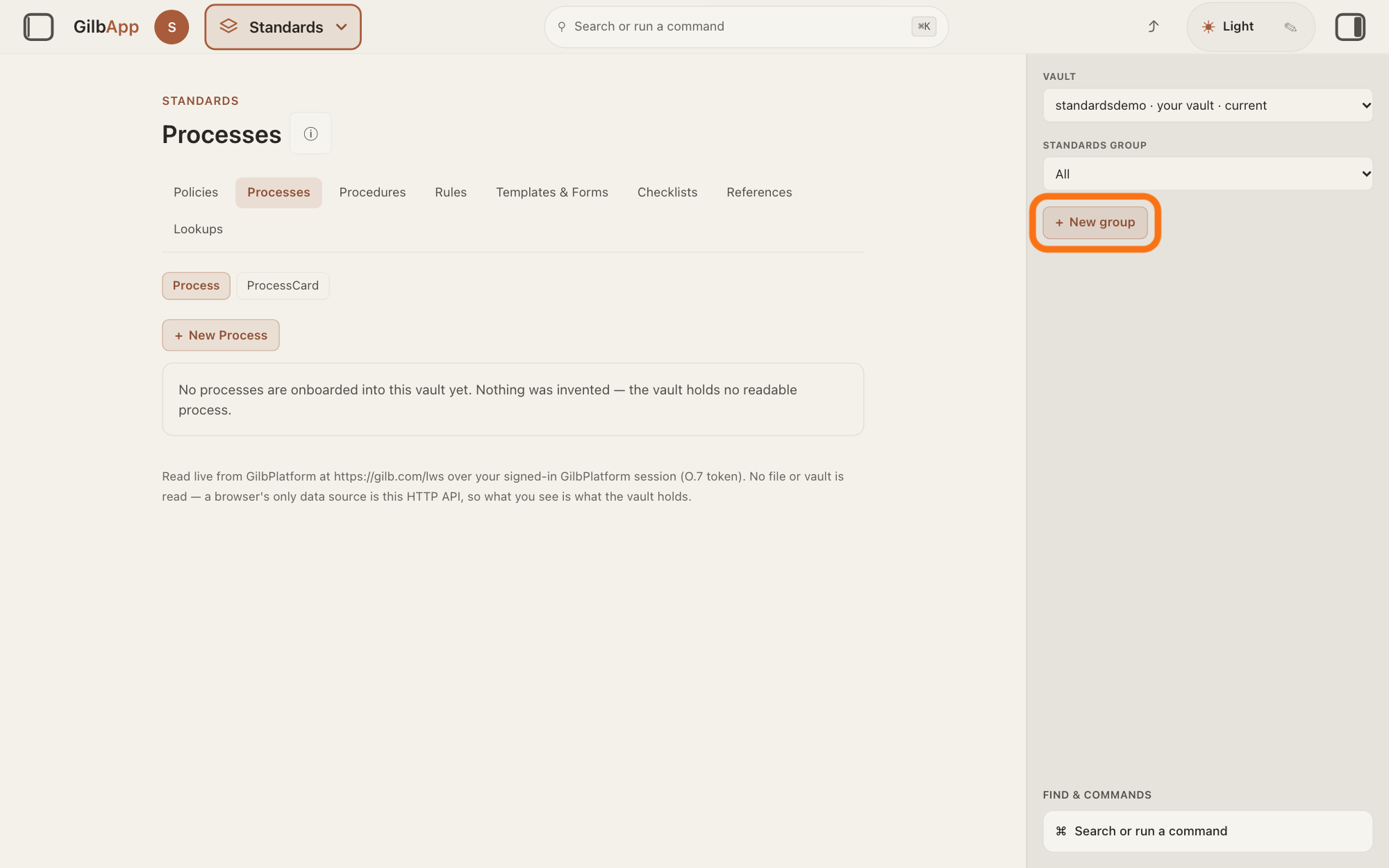
Press + New group on the right.
Press + New group in the right pane, below VAULT and STANDARDS GROUP. A box headed TITLE opens, with Cancel and Save group under it.
Show as text
In the right pane, under "VAULT" and "STANDARDS GROUP" (which reads "All"), the button "+ New group" is outlined. Press it to open the box for the group's name. The middle shows the tab "Processes". The middle says no process is in the vault yet; that does not matter for this step.
More about this
A standards group is a named set of the standards in one vault that govern one body of work, such as a project. The group is made in the vault shown under VAULT; choose another vault there first if you want it elsewhere. + New group shows only when you may write to that vault. STANDARDS GROUP lists the groups the vault has, with All for every standard. If the right pane is hidden, press the square button at the far right of the top bar.
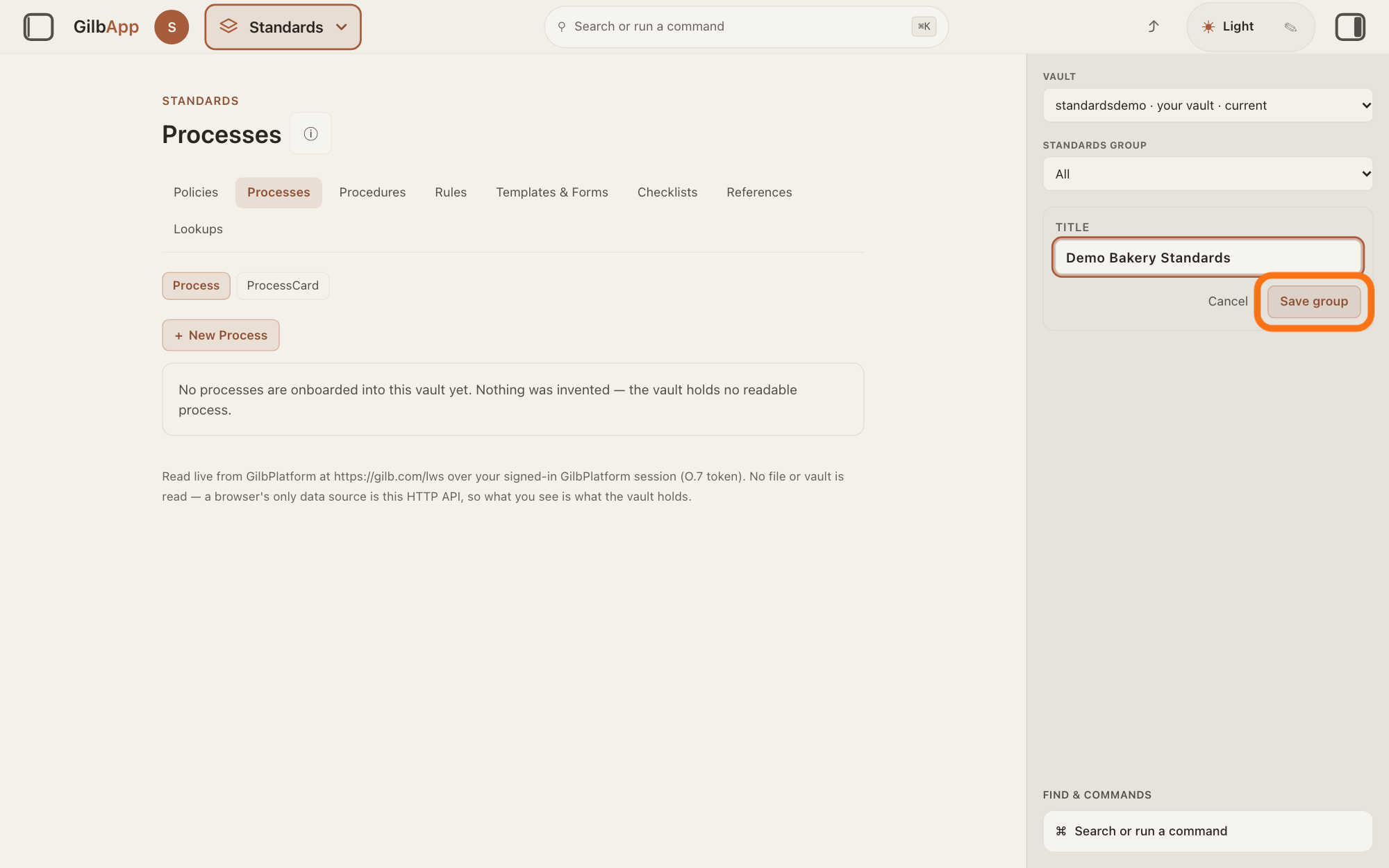
Type the group's name in TITLE and press Save group.
Type the group's name in TITLE and press Save group. GilbApp makes the group and chooses it under STANDARDS GROUP.
Show as text
In the right pane a box headed "TITLE" holds the name you typed for the group. Under it are "Cancel" and the outlined button "Save group". Press "Save group" to make the group. The middle says no process is in the vault yet; that does not matter for this step.
More about this
The box shows GilbPlatform until you type; that is only an example. Save group is grey while the box is empty and reads Saving… while it works; Cancel closes the box and makes nothing. If the save fails, the box stays open and says why under it. With the new group chosen, the list says, for example, "No processes are members of this standards group. Nothing was invented — a record belongs to a group only when it names that group itself."; choose All under STANDARDS GROUP to see every standard again.
Deeper
A standard belongs to a group only when it names that group itself; making a group puts nothing in it. In the Standards screens only a procedure, the kind of standard that holds an agent, can be put in a group: a procedure you make under the tab Procedures while the group is chosen under STANDARDS GROUP joins it, and an open procedure shows a button Add to group with the group's name while that group is chosen. The Standards screens have no way to put a process, a rule document or another kind in a group, or to rename or delete a group.
A group lives in one vault, the vault on screen when you made it, and lists only standards of that vault. In the Kai-Zen method a standard that must stay private sits in a private group; GilbApp has no switch to make one group public or private, as the answer on publishing a standard shows.
This answer is written for a computer screen. In a window narrower than 840 pixels, such as a phone, the side panes are hidden and the right pane is Detail in the bar at the bottom.
Source: Re-checked 2026-11-11: live GilbApp is now ebd9415e7a90de8c289eaa7bb02f40c8ee80cf79 (https://gilb.com/app/version.json) and GilbPlatform 498d29a0dec9a15d167f4b6b5d731382a6bcede0 (https://id.gilb.com/version). the diff from af0f04ee to ebd9415e touches no file this page cites (src/components/process, RightRegion.tsx, gilbAppMenuRows.ts, the standards libs unchanged; processHooks.ts, records.ts and AppShell.tsx change only request headers and a palette note); the diff from 4d008a55 to 498d29a0 changes sign-in, DPoP and grant slices, not the write gate or deletes. Line numbers above hold at ebd9415e. GilbApp code read (these files unchanged at ebd9415e). Step 2: RightRegion.tsx:1145-1165 (StandardsControls at the top of the right pane in Standards); StandardsControls.tsx (Vault, Standards group CSS capitals, All option, the vault's groups by title; + New group only when writeGuard.allowed), AppShell.tsx:529-545 (writeGuard: the viewed vault grants write); StandardsGroupCreateForm.tsx (+ New group, Title CSS capitals, placeholder GilbPlatform, Cancel, Save group, disabled while blank, Saving…, error under the box, form stays open on failure). Step 3: standardsGroupCreate.ts (one t:StandardsGroup record with a:title in the vault on screen; confirmed by re-reading the vault's group list); StandardsControls.tsx onCreated sets ?sg= to the new group; StandardsSection.tsx:536-540 ("No processes are members of this standards group. Nothing was invented — a record belongs to a group only when it names that group itself."), standardsGroupScope.ts (same sentence per kind). Deeper: standardsGroupScope.ts:1-9 (membership is a:partOf only); ProceduresTab.tsx:322 (a new procedure takes the chosen group), :626-650 (Add to group {title}, Member of group {title}.), procedureHooks.ts:371-385, :441-458; no partOf on create or join in the Process, Rules, Checklists, Policies, Templates, Lookups or References code; no rename or delete of a group. GilbVeda t:StandardsGroup (public read 2026-11-10: "A named grouping of the standards one pod holds — the standards that govern one body of work (a project, a domain, a team's practice), gathered under one name … MEMBERSHIP is the Approved part-of edge (a:partOf, t/PartOf) written on each MEMBER standard"). Standards: GilbPlatform.StandardRules.Public (A private standard sits in a private group).
Checked against GilbApp d529620.