
← Back to Can I invite people to my app, or block someone?
How do I see a group's members?
Short answer
Press Main menu, choose MyNet, press Groups, then My Groups, and choose the group; its screen lists everyone, with its admins marked Admin.
Before you start
You need to be signed in to GilbApp on a computer and to belong to the group; the answer on finding and joining a group shows how. The pictures show a made-up person on a test site; your screen shows your own name and address.
Words used here (3)
- GilbApp
- GilbApp is the app, opened in a web browser at https://gilb.com/app, where you open, fill and share your vaults.
- project
- A project is work to bring about a change you want, such as a new app or a better way of doing something.
- record
- A record is one piece of data with its own address, such as a person, a place, a thing or a note.
Steps
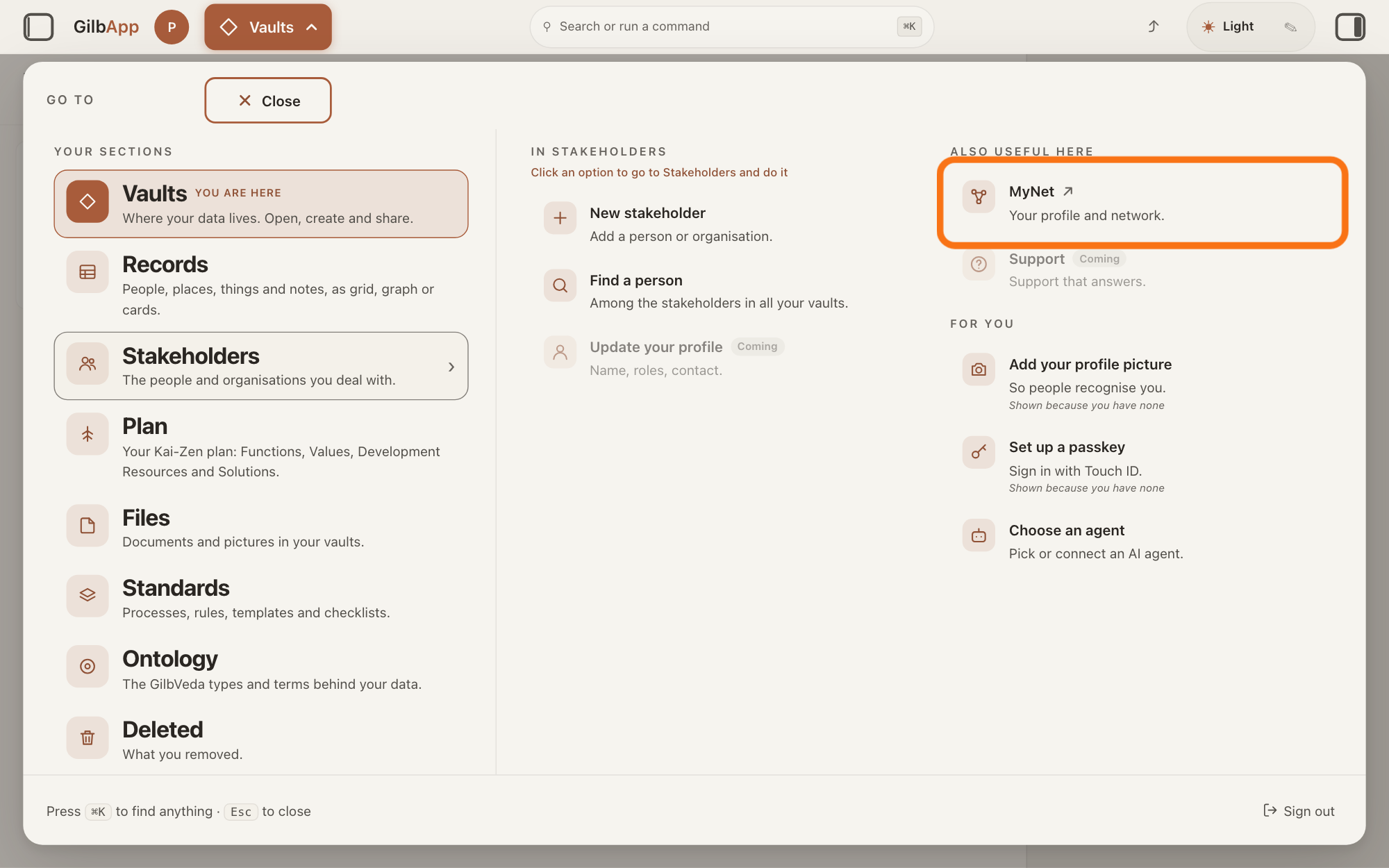
Press Main menu at the top left and choose MyNet.
Press Main menu, next to your profile picture at the top left, rest the pointer on Stakeholders and choose MyNet under ALSO USEFUL HERE. MyNet, Gilb's app for your profile and network, opens in a new tab.
Show as text
Press "Main menu" at the top left and rest the pointer on "Stakeholders". In the right-hand column "ALSO USEFUL HERE", press "MyNet ↗", "Your profile and network.", outlined in orange. MyNet opens in a new tab.
More about this
The button shows the name of the section you are in, such as Vaults. MyNet reads Your profile and network., and ↗ beside it means it opens in a new tab. MyNet may ask you to sign in first, with your e-mail address and a code, as GilbApp does. You can also type https://gilb.com/mynet in your browser's address bar. On your own card in Stakeholders, Edit in MyNet opens your profile at once.
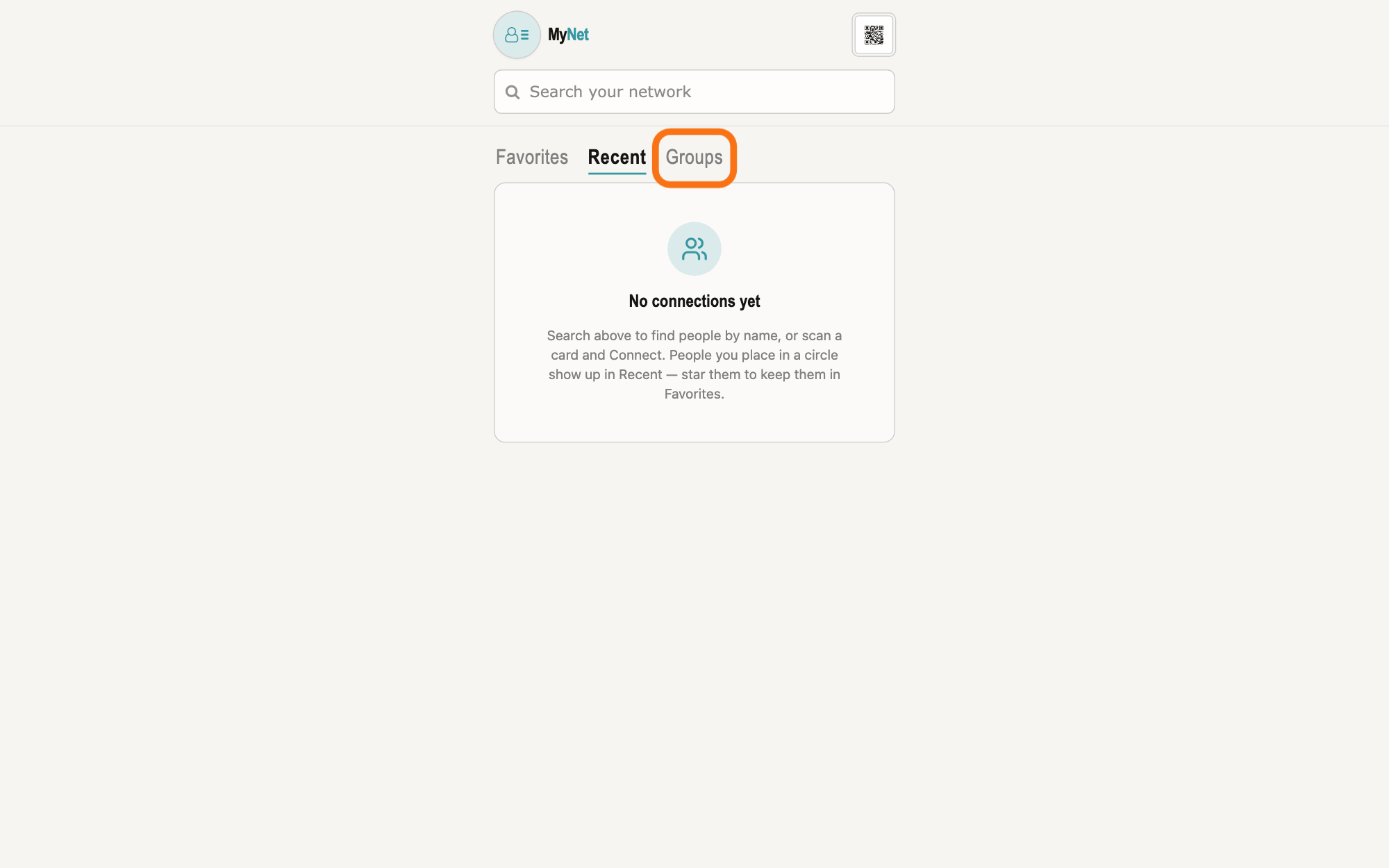
Press Groups on MyNet's home screen.
On MyNet's home screen, press Groups, right of Favorites and Recent below the box Search your network. A group is the vault of an organisation or a project, such as a club or a company, that its members share; a vault is the place where a person or a group keeps their records.
Show as text
MyNet's home screen. Under the box "Search your network" are the tabs "Favorites", "Recent" and, at the right, the outlined "Groups". Press "Groups" to see your groups.
More about this
Groups shows two lists, My Groups and Find Groups, one at a time, and MyNet remembers the one you used last. The box Search your network also lists, under GROUPS, the groups you can already reach whose name matches.
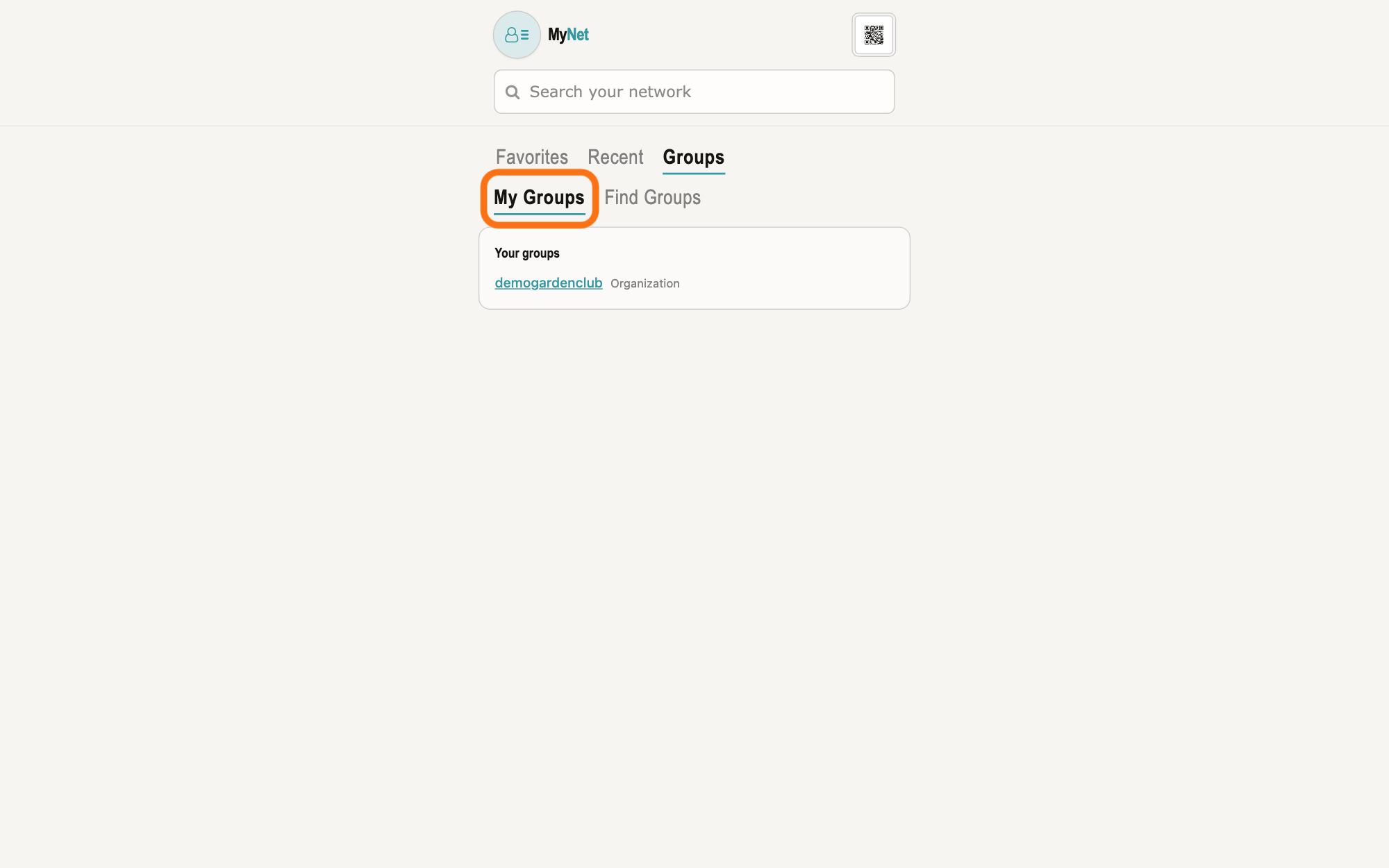
Press My Groups.
Press My Groups under Groups. It lists, under Your groups, the groups you belong to, each with its kind.
Show as text
Under "Groups" are two lists, the outlined "My Groups" at the left and "Find Groups". Press "My Groups"; the card "Your groups" below lists the groups you belong to, each with its kind.
More about this
Loading your groups… shows while it reads; Groups you join land here. means you belong to none yet. Your profile lists the same groups under Organizations & projects, where Create organization or project makes a new one. Find Groups beside it is for groups you are not in.
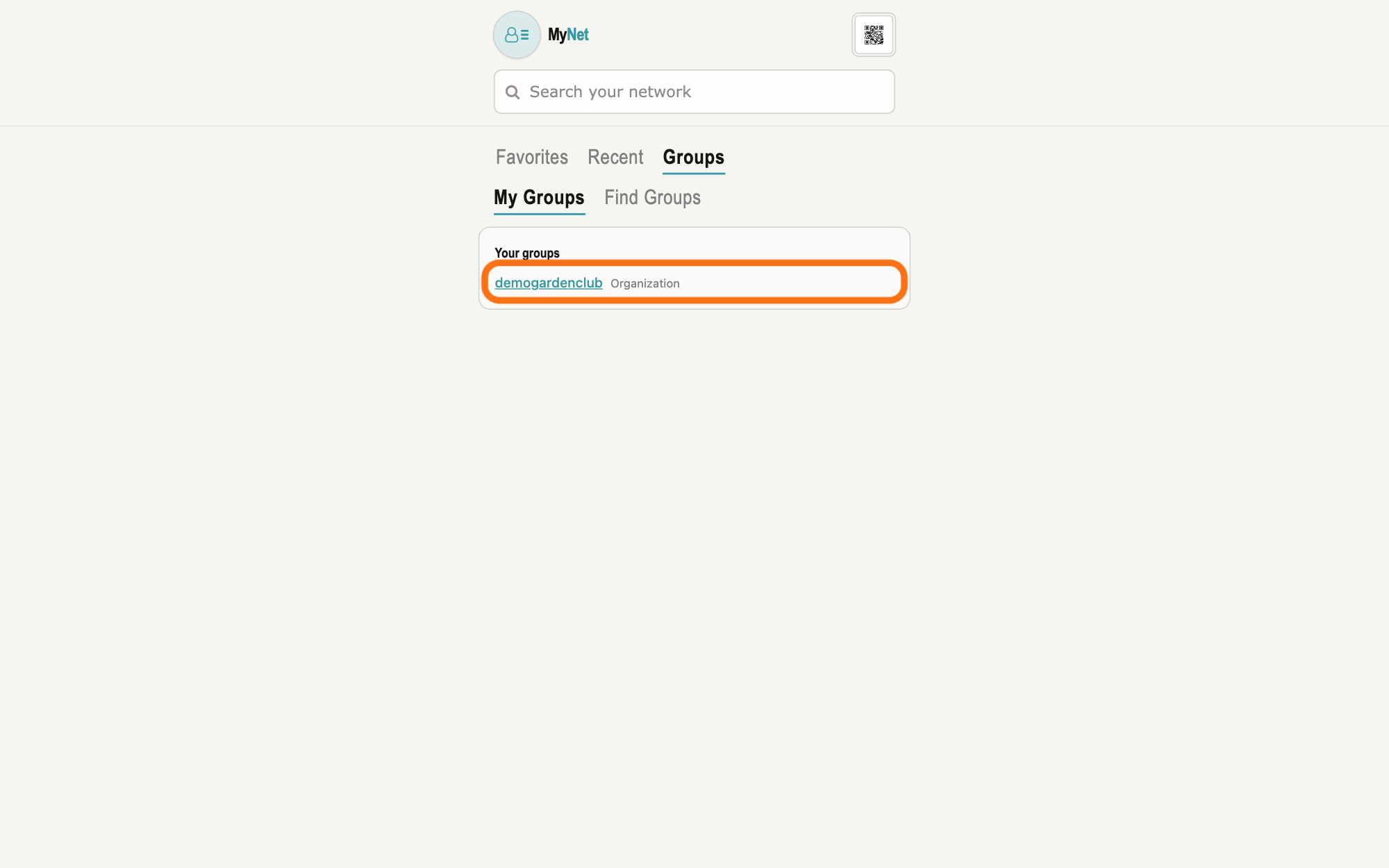
Choose the group under Your groups.
Click the group's name under Your groups. The group's screen opens, with its name and kind at the top and a box for each member below.
Show as text
The card "Your groups" lists your group, its name as a link and its kind, "Organization", at the right; that row is outlined. Click the group's name to open its screen.
More about this
Above the boxes it says People in this group. Seeing someone here is not a connection — ask to connect. A box holds the person's name, Admin for an admin, and a short card of what they let you see, such as their picture, company, job title and skills. Open card opens the card of someone in your circles; Connect offers to place anyone else in one. A line above the list counts them, such as 3 people. Type in Search members at the top to narrow the list by name; No members match that search. means none matched. The screen may also show About this group and, for admins, the group's settings; Set access at the top is about what the group can see of you. Loading members… shows while it reads, and Could not load members. means it did not work.
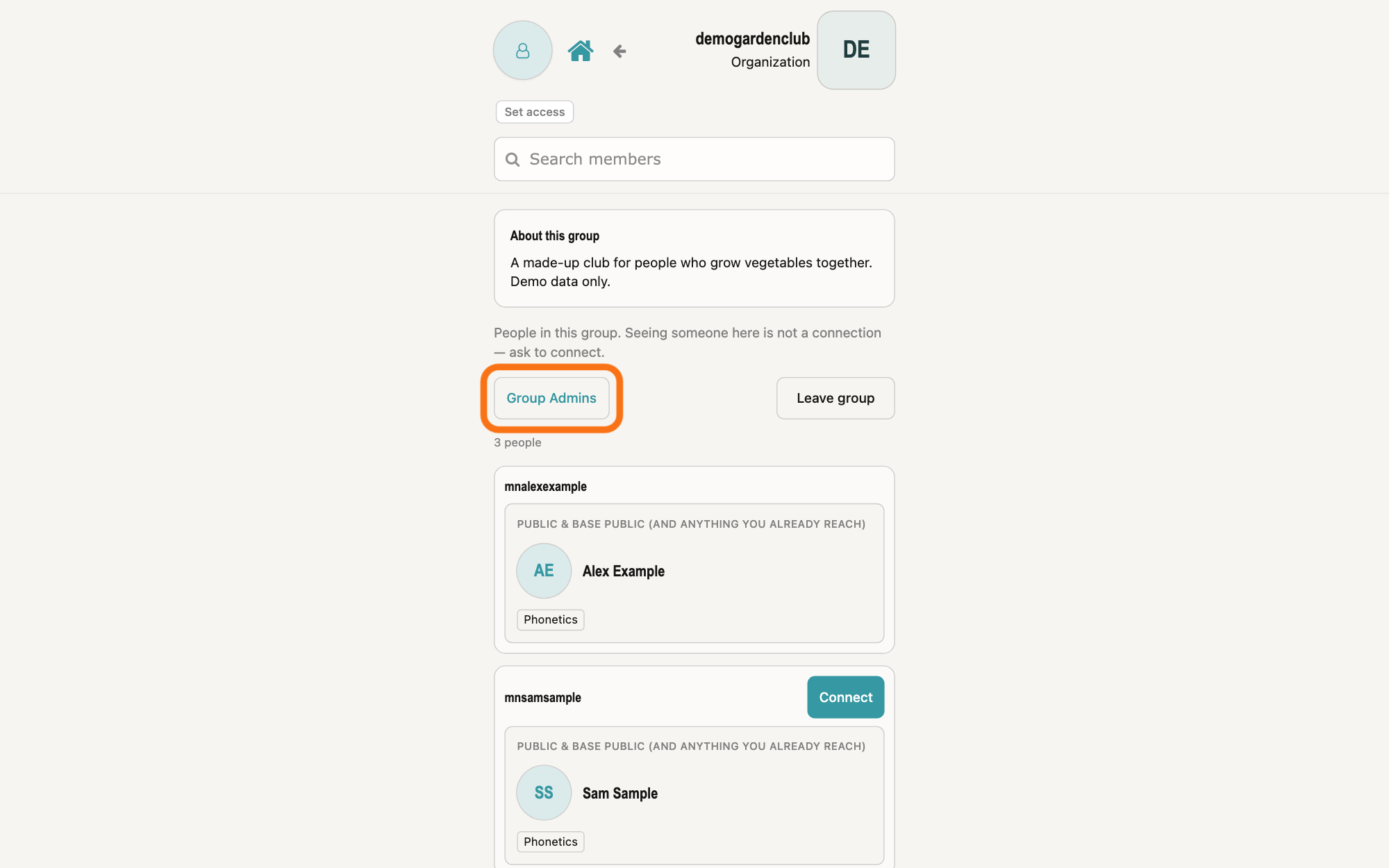
If you want, press Group Admins to see only the admins.
Press Group Admins above the list. Only the admins are listed, the button reads Group, and it says Showing group admins only — press again for everyone.
Show as text
The group's screen: its name and kind at the top right, "About this group" with its About text, then "People in this group". The outlined button "Group Admins" sits left above the list, "Leave group" at the right, "3 people" below, then a box for each member.
More about this
The admins are the group's owner and the people who hold Control on the group's vault, the access level that lets a person manage who else has access. The count then reads, for example, 1 group admin. Press Group to see everyone again.
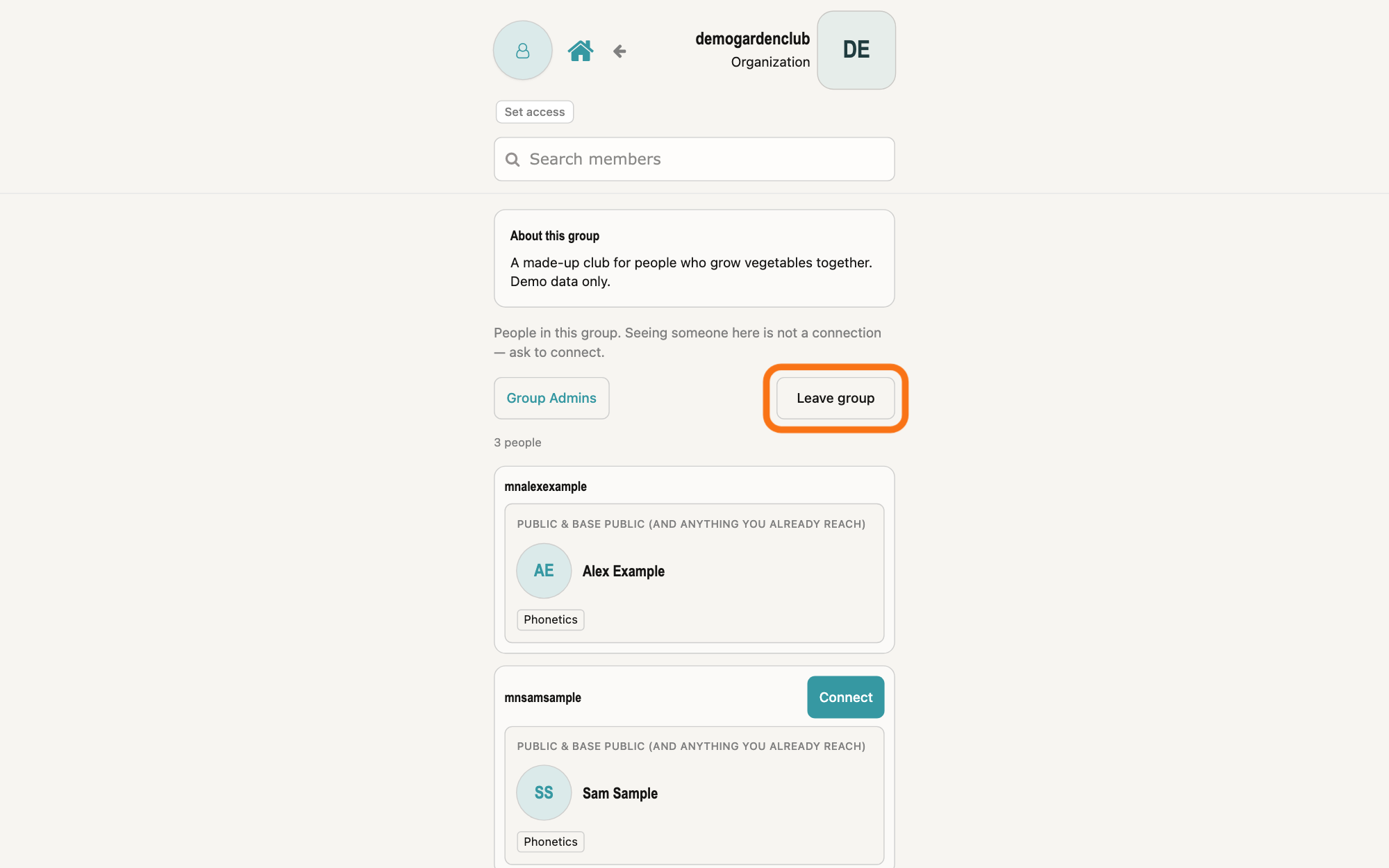
If you want to leave the group, press Leave group.
Press Leave group at the right above the list, and press OK in the box your browser opens. MyNet takes away your access to the group's vault and opens your profile.
Show as text
The same group screen with everyone listed. At the right above the list, the button "Leave group" is outlined. Pressing it opens a box from your browser asking you to confirm before you leave.
More about this
The box asks Leave this group? You will stop seeing the member list.; Cancel keeps you in the group. The button reads Leaving… while it works. The group's owner, the person who made it, has no Leave group. To come back, ask to join again or ask an admin to add you.
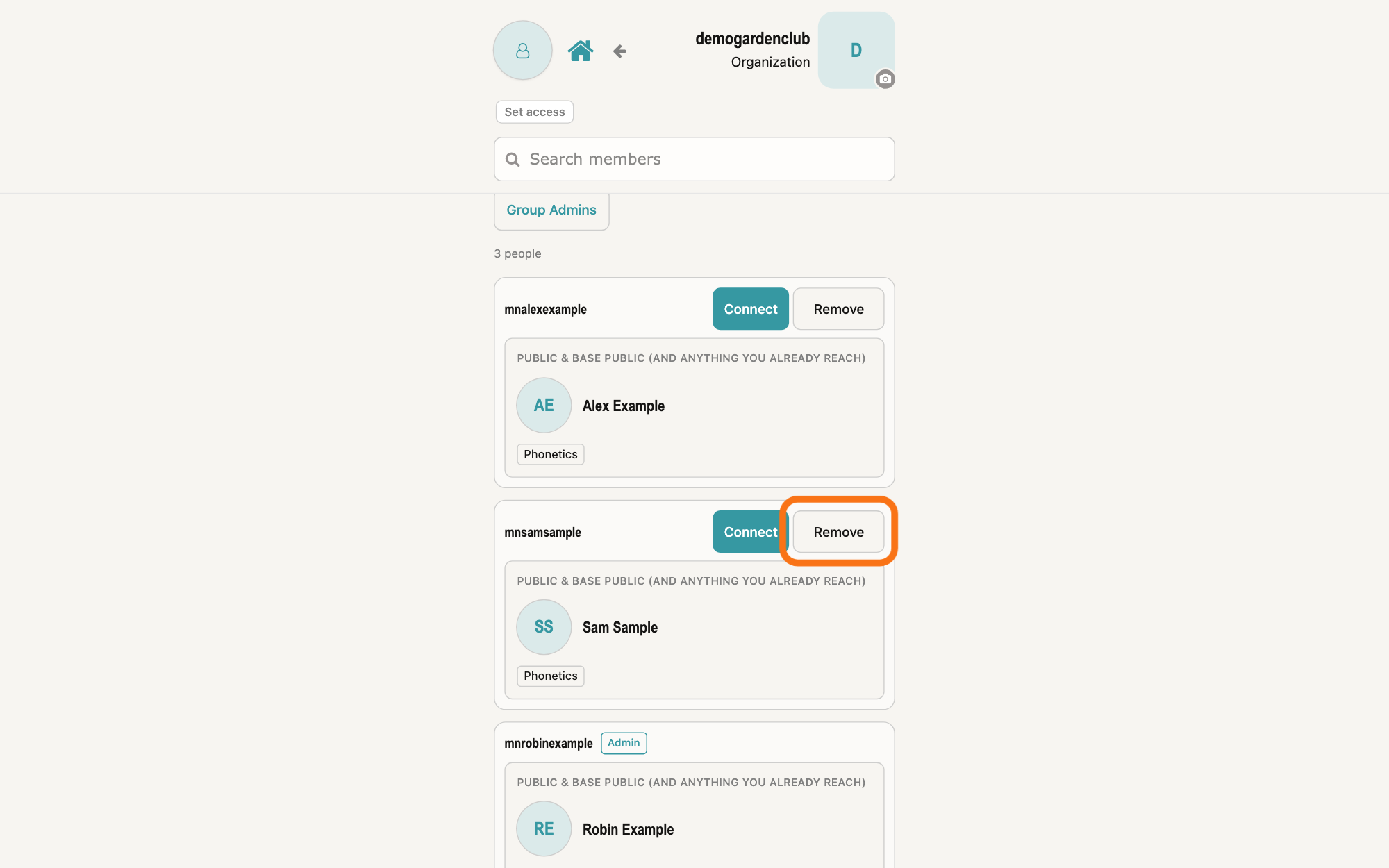
If you are the group's admin, press Remove on a member's row to take them out.
Press Remove on the member's row, and press OK in the box your browser opens, which asks whether to remove that person from this group. MyNet takes away all the access that person has on the group's vault, and they leave the list.
Show as text
The group screen as its admin sees it. Each member's box has "Connect" and "Remove" at the top right; the admin's own row shows "Admin" instead. On the second member's row, "Remove" is outlined; pressing it asks you to confirm in a browser box.
More about this
Cancel in that box keeps them. Remove shows only for admins, and never on your own row or on the owner's. The person is not asked first. To add someone, use Add members on the same screen; the answer on finding and joining a group shows how people ask to join.
Deeper
Also asked:
Can I share with a whole team or group at once? Not in GilbApp today: under SHARE WITH, ▸ GRANT ACCESS offers Person and Vault, with no choice for a group, so you share a vault with each person, one at a time. If you need this, write to [email protected].
GilbPlatform shows a group's members only to the people in it: anyone who can read the group's vault, and its admins. Others are told You do not have access to this group's member list. The list says who is in the group and who is an admin, not what else each person may do in its vault.
In GilbApp, the people who hold Control on a vault see who has access to it under OTHER PEOPLE AND GROUPS ACCESS RIGHTS; the answer on seeing who can reach your vault explains it. GilbApp has no member list for the other people in a group.
MyNet shows the same narrow column on a computer as on a phone; the pictures show a computer window.
Source: MyNet e894951bcfda372a6218c512c15bb4b582c1a794 (https://gilb.com/mynet/version.json, built 2026-10-27, read 2026-11-10). Step 1: GilbApp af0f04ee shell/gilbAppMenuRows.ts:142-156 (Stakeholders: also mynet), components/menu/sectionMenuList.ts:305-306 ('MyNet', 'Your profile and network.', href MYNET_BASE), section-menu 0.2.4 SectionMenu.tsx:88 ('Also useful here'), :942-948 (CSS capitals), :857-876 ('↗', new tab); lib/base/granteePublicCard.ts:35-38 (https://gilb.com/mynet); OwnCardBand.tsx:13-26, :80-88 ('Edit in MyNet'). Step 2 (MyConnectionsList.tsx:385-435; GroupSearchHits.tsx:1, :28-46). Step 3: MyConnectionsList.tsx:420-435 ('My Groups'); components/profile/YourGroups.tsx:1 (groups this person can already reach), :24 ('Loading your groups…'), :32 ('Groups you join land here.'), :39-52 ('Your groups', name link, kind); components/profile/OrgVaultsCard.tsx:44-60, :103 ('Organizations & projects', 'Vaults you belong to. Open one to see members and ask to connect.', 'Create organization or project'), on pages/Profile.tsx:563. Step 4: App.tsx:36 (route /org); components/AppShell.tsx:299-300 ('Search members'), :556 (live filter); live bundle /mynet/assets/index-Bw15VNOy.js ('Set access' / 'Hide access'); pages/OrgMembers.tsx:572 (About at the top), :607 and :657 (admin cards), :778-781 ('People in this group. Seeing someone here is not a connection — ask to connect.'), :886-903 ('Loading members…', 'Could not load members.', 'No members match that search.', 'No one listed yet.'), :908-920 (count '1 person' / 'N people', ' match'), :924-1032 (name, 'Admin', 'Open card' for a connected person, 'Connect' to /connect, the short card: photo, name, company, job title, skill; 'Not a person vault — no card.'). Step 5: OrgMembers.tsx:329-337 (admins filtered from the roster's isAdmin), :826-853 ('Group Admins' / 'Group'), :876-882 ('Showing group admins only — press again for everyone.'), :912-916 ('1 group admin' / 'N group admins'). Step 6: OrgMembers.tsx:313-319 (leave, then /profile), :394 (no Leave for the owner), :855-871 ('Leave this group? You will stop seeing the member list.', 'Leaving…', 'Leave group'). Step 7: OrgMembers.tsx:320-323 (kick), :998-1010 (admins only, never the owner or yourself; 'Remove <name> from this group?', 'Remove'), :700-767 ('Add members'). GilbPlatform 4d008a55: src/baseconnect/org-members.ts:1-9 (the member directory: whoever holds a whole-vault grant, plus the owner; no access levels shown), :49-50 (isAdmin = owner or Control-holder, 'Safe to show — members need a way to reach admins'), :310-331, :107-122 (callerMaySeeOrgMembers: a Control holder or anyone who can read the vault), :410-412 (leave drops every stored grant the caller holds; the owner cannot leave), :463-465 (an admin's kick drops every stored grant the target holds; the owner cannot be removed; the caller holds Control); src/routes/connect-org-members.ts:1-7 (members, leave, kick; not the Control-gated access list), :279-283 (404 to anyone who may not see it); MyNet lib/base/orgMembers.ts:144-167 ('You do not have access to this group's member list.'). GilbApp af0f04ee:; no caller of /base/connect/org-members in src. GilbApp 49467c2b (https://gilb.com/app/version.json, read 14 November 2026): src/components/VaultAccessManager.tsx:836-866 (Share with: Person, Vault only). Live answer: Who can give access, and to whom?
Checked against GilbApp d529620.