
How do I see where a term is used?
Short answer
Press Main menu, choose Ontology, search and select the term in CONCEPTS, press the count of apps at the top of the right pane.
Before you start
You need to be signed in to GilbApp on a computer. The pictures show a made-up person on a test site; your screen shows your own name and address.
Words used here (2)
Steps
Press Main menu at the top left and choose Ontology.
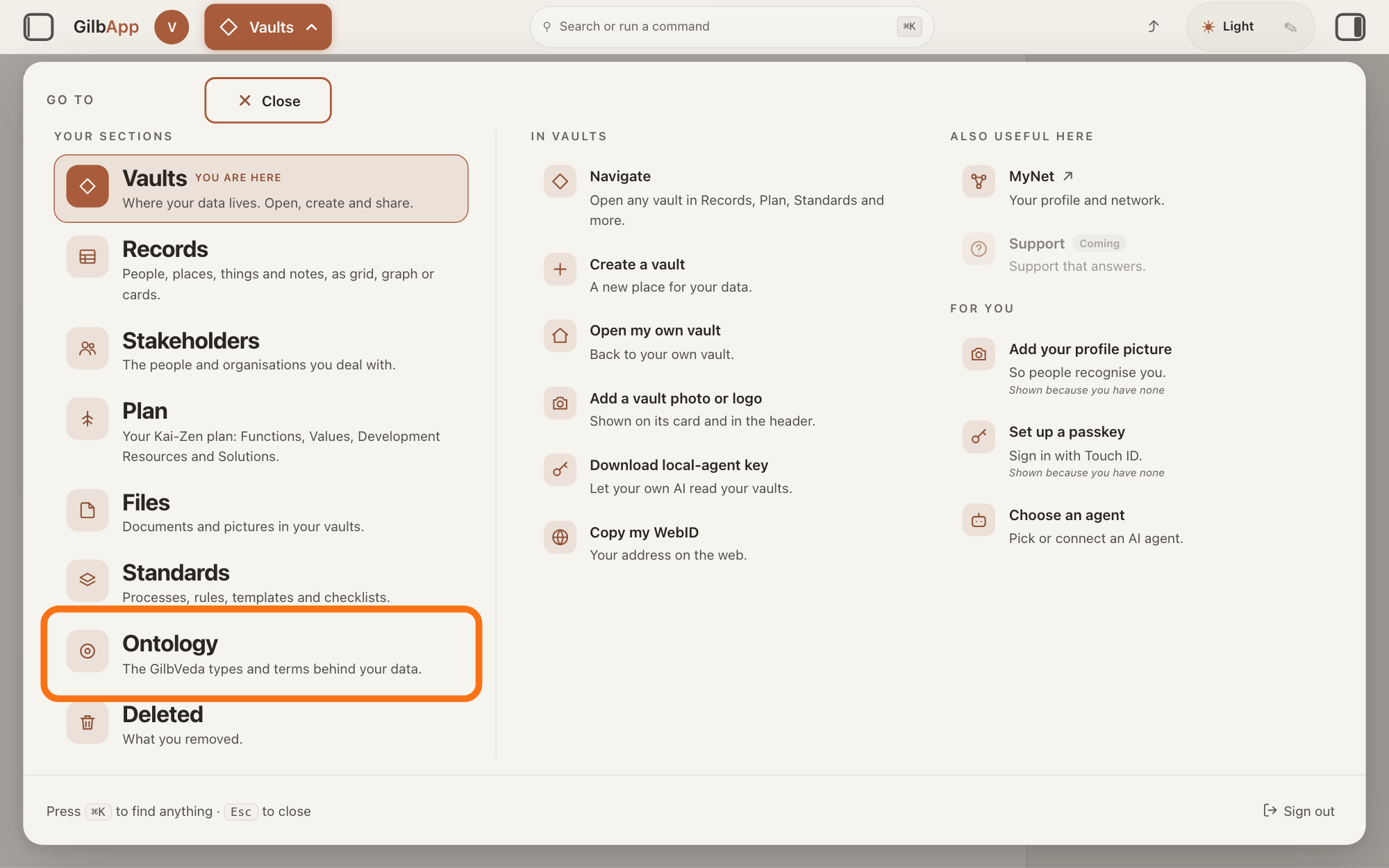
Press Main menu, next to your profile picture at the top left, and under YOUR SECTIONS choose Ontology. The button shows the name of the section you are in, such as Vaults.
Show as text
The panel headed "GO TO" is open over the window. In the left column under "YOUR SECTIONS", near the bottom, the outlined row reads "Ontology" and "The GilbVeda types and terms behind your data." Click it to open the Ontology screen.
More about this
A panel headed GO TO opens; Ontology reads The GilbVeda types and terms behind your data. It always opens on GilbVeda, the shared list of terms: the button at the top left of the screen reads GilbVeda Ontology, the cursor is in the box marked CONCEPTS, and below are three columns, TYPES, FUNCTIONS and VALUES. A type is a kind of thing; a Function is what a system does, written as an action; a Value is a perceived benefit, measured as a number. A term is the shared name GilbVeda keeps for a kind of thing, a detail of it, a link between two things, or a species. The right pane says No concept selected. Resting the pointer on Ontology in the panel shows more choices under IN ONTOLOGY; you need none of them here.
Search and select the term in the box marked CONCEPTS.
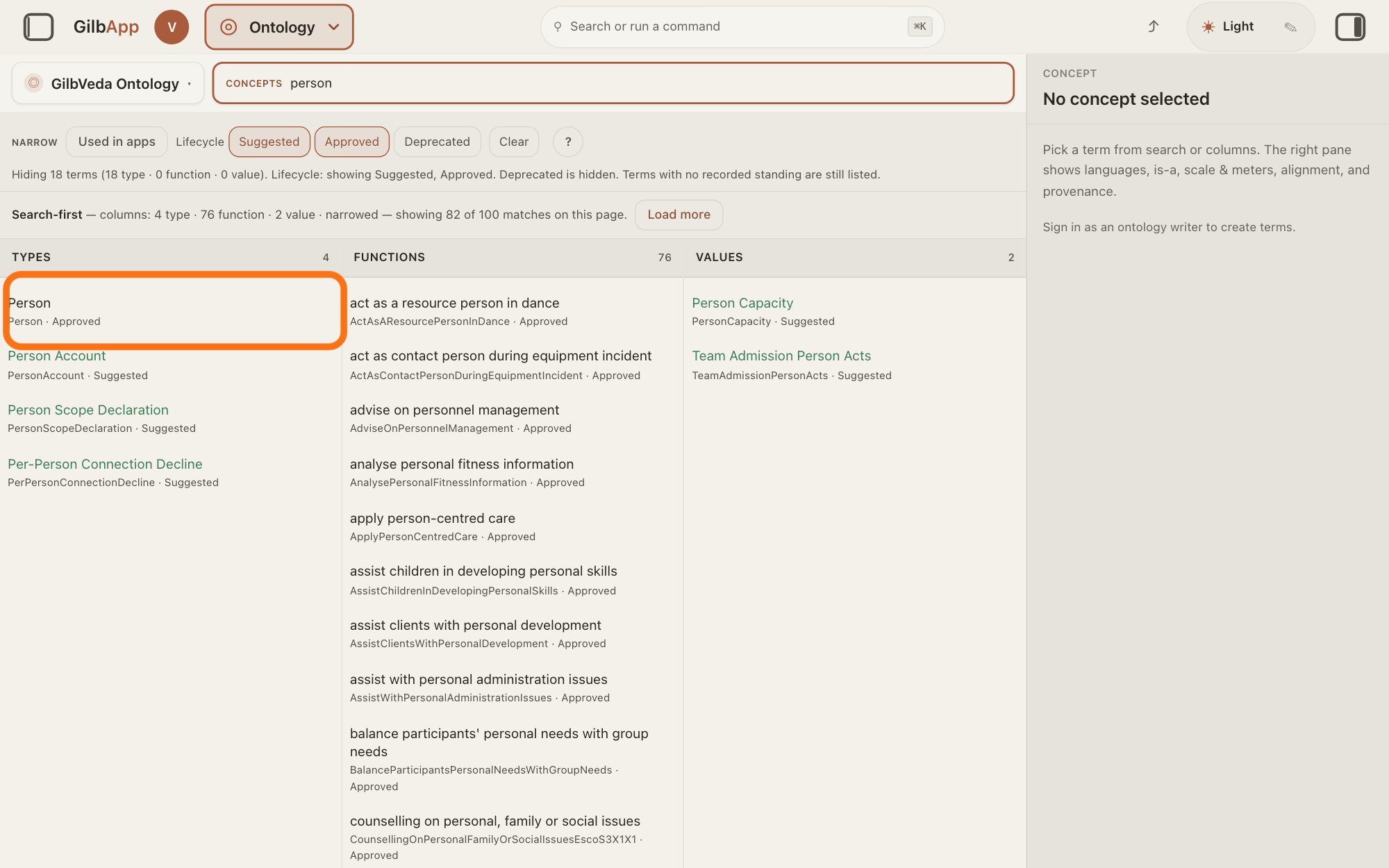
Type at least three letters of the term's name in the box marked CONCEPTS and click the term in its column. The right pane shows the term.
Show as text
"person" is typed in the box marked "CONCEPTS". In "TYPES", the outlined row reads "Person" and "Person · Approved". Click it; its details open in the pane on the right.
More about this
The answer on finding a term says more about the search, and about deprecated terms, which it hides at first. You can also click a term while browsing the columns, or the Type link in a record's ▸ DETAILS, which opens that type here.
Press the count of apps, such as ▸ 7 APPS, at the top of the right pane.
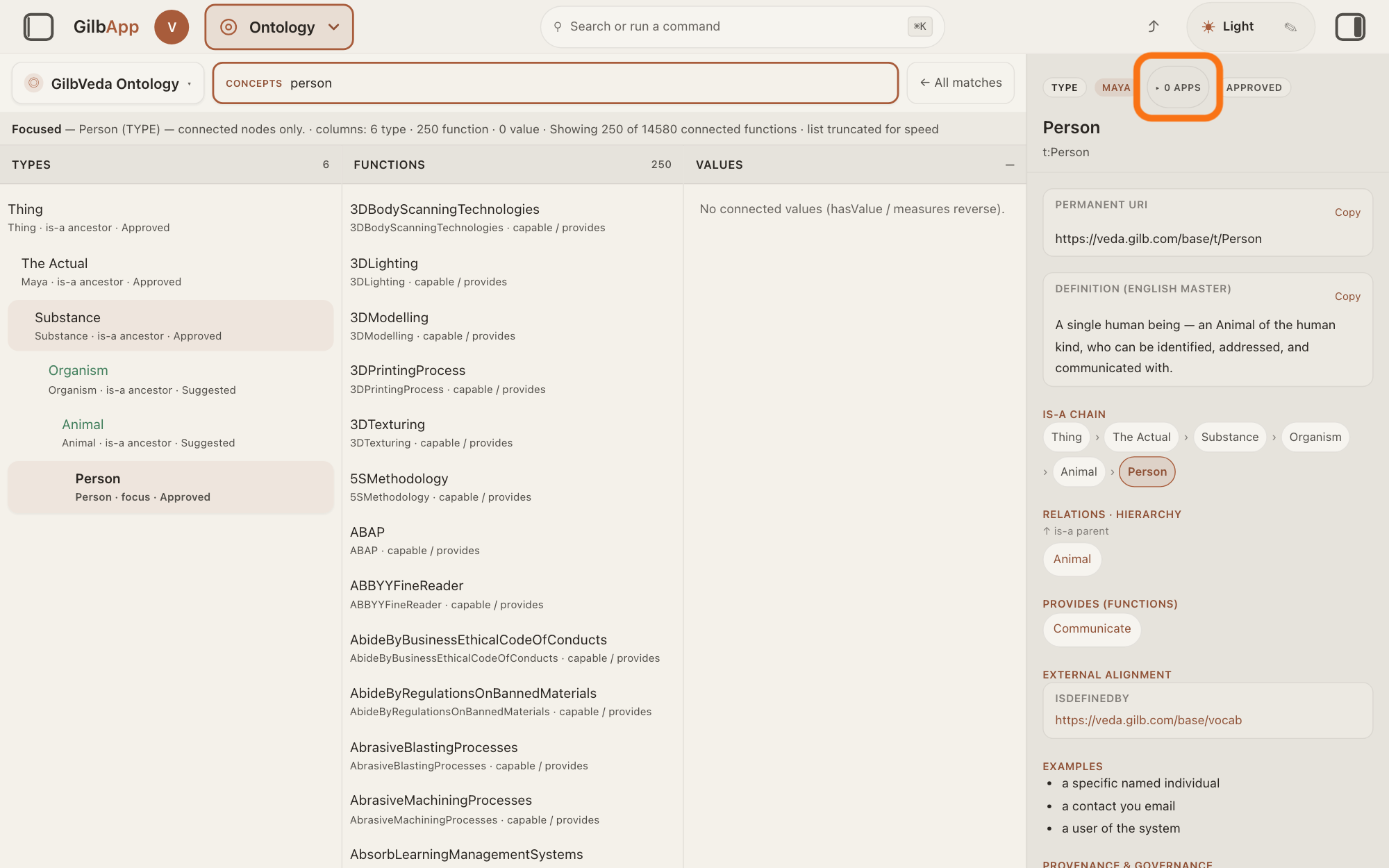
Press the badge that counts the apps recorded as using the term, such as ▸ 7 APPS, beside the term's kind, such as TYPE. A list of those apps opens under the badges; press the badge again, now ▾, to close it.
Show as text
At the top of the pane on the right, "Person" carries the badges "TYPE", "MAYA", the outlined "▸ 0 APPS" and "APPROVED". The number is the count of apps that use the term. Press the badge to list those apps.
More about this
The list names each app as it was recorded, such as GilbApp, MyNetBase or testguitar. No apps have recorded usage of this term yet. means no use is recorded; an app may still use the term without a record. With more than 20 apps it says More than 20 apps — narrowed list shown. Usage unavailable or Could not load the app list. means the record could not be read. GilbApp lists apps only, not the records in your vaults that use the term.
Deeper
A use is recorded for an app, for example when Agent.Concept, the agent that finds and makes GilbVeda's terms, finds or makes a term for that app. A recorded use says an app was named as using the term; it is not proof that it does. Before Agent.Concept changes a term in use, it reads this list, and a change that could break those apps is made only when it is needed, and never in place; the answer on what GilbVeda is, and why apps use it says more.
To list only the terms apps use, press Used in apps in the bar marked NARROW; the answer on browsing GilbVeda's types shows it. A species in the tree of life has no count of apps.
Programs can read the same count and list without signing in, from GilbPlatform's interface for developers. Without an account the same badge shows at https://gilb.com/app/?section=ontology.
This answer is written for a computer screen. In a window narrower than 840 pixels, such as a phone, the side panes are hidden and the right pane is Detail in the bar at the bottom; in a window narrower than 768 pixels the three columns also stand one under another.
Source: GilbApp ebd9415e (Ontology code identical to af0f04ee), code read. Step 3: OntologyConceptPane.tsx:1018-1037 (badge only for a term, not a record; ▸/▾; <n> App/<n> Apps uppercase; Usage unavailable), :421-423 (toggle), :1185-1225 (list: Loading…, Could not load the app list., No apps have recorded usage of this term yet., More than <pageSize> apps — narrowed list shown.); lib/base/ontologyUsage.ts:1-140 (GET /base/registry/usage, public, count then list on expand). Public read 2026-11-10 https://gilb.com/base/registry/usage?term=…/t/Person: usageCount 7, MyNetBase, GilbAppVeda, GilbApp, GardenPlants, GilbPlatform, Social, testguitar; t:Guitar 1 (testguitar). Deeper: Agent.Concept.Task step 6 and OnePath ('RESOLVE FIRST ... usage'); Rule_Code_gilbveda-ontology-master RuleBvmasterUsageFirst, RuleBvmasterNoBreak, RuleBvmasterUsageRecord (2026-11-11); GilbPlatform 498d29a0 docs/BASE-DEVELOPER-GUIDE.md:26 ('A row recorded this way is a declared claim, not proof the app uses the term.'); ontologyNarrowing.ts:358-398 (Used in apps). Shared: Agent.Concept gloss, 'GilbPlatform's interface for developers', computer-screen sentence.
Checked against GilbApp d529620.