
← Back to How do I make my own agent?
How do I see which standing instructions an agent loaded?
Short answer
Type a message, press Send, then read any warning above the box and the answer's last line, where the agent signs the standard it loaded.
Before you start
You need to be signed in to GilbApp on a computer, with your own AI connected in the chat: Claude Code or Grok. The pictures show a made-up person on a test site; your screen shows your own name and address.
Words used here (5)
- agent
- An agent is your AI following one written procedure, its standing instructions, for one kind of work.
- GilbApp
- GilbApp is the app, opened in a web browser at https://gilb.com/app, where you open, fill and share your vaults.
- GilbPlatform
- GilbPlatform is the service that keeps people's and organisations' data in vaults, each at its own web address.
- Kai-Zen
- Kai-Zen is the planning agent: it finds out what you want, chooses the way, hands the work to other agents and reports back.
- Jackfruit
- Jackfruit is the vault agent: it finds, reads, writes and links records in your vaults, and makes new vaults for you.
Steps
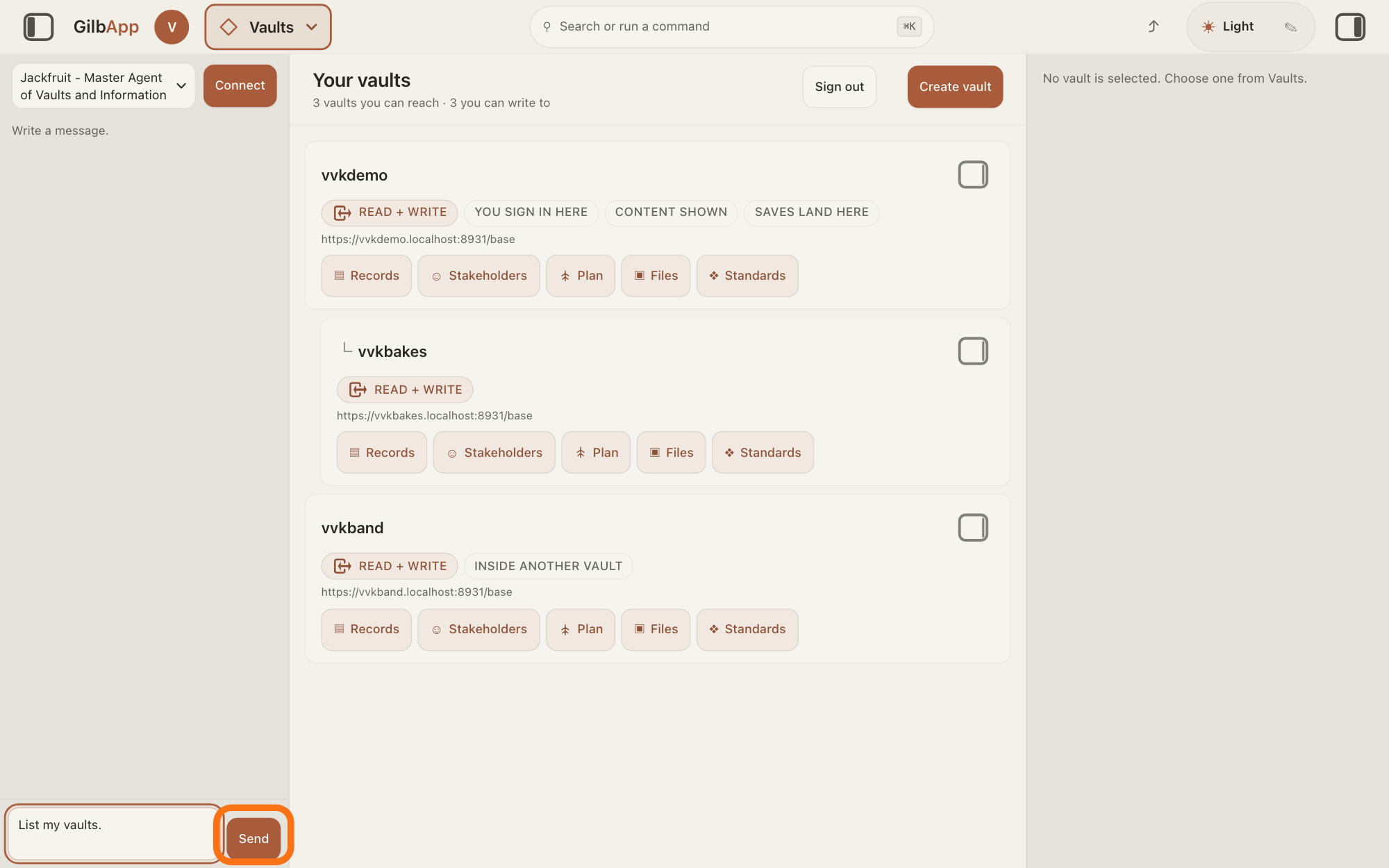
Type your message in Write a message… and press Send.
With the agent chosen in the list at the top of the chat, type your message in the box Write a message… and press Send. GilbPlatform loads the agent's standing instructions again for each message you send.
Show as text
The chat is open in a pane at the left, with "Jackfruit - Master Agent of Vaults and Information" in the agent list at its top. "List my vaults." is typed in the box at the bottom, and the outlined "Send" is to its right. Press it.
More about this
An agent is your AI following one written procedure, its standing instructions, for one kind of work. Those instructions are standards, kept on GilbPlatform; a standard is a written procedure, rule set, form or other guide that people and agents follow as they work. Opening the chat, choosing an agent and the other controls of the chat are in the answer on chatting with an agent in GilbApp. While the agent works, the pane shows The agent is writing…, then Ran and the name of each tool it uses.
Read the line above Write a message…, if one shows.
If the agent did not get all of its standing instructions for this message, a line above the box says so and why. Once the answer has come, no line there means GilbPlatform reported them all loaded.
More about this
The line begins "The agent is answering with only part of its standing instructions: some could not be read", with the reason in brackets, or The agent is answering WITHOUT its standing instructions: and one of three reasons: the standards vault could not be read, the vault that keeps the agents' procedures, then the reason and This is not an empty group.; no group called, a name, is on and a vault, where a group is a named set of standards, sometimes with That vault offers: and the groups it has; or the group, a name, exists and holds no steps.. The agent's answer may then not follow that agent's way of working. The line stays until you send your next message.
Read the last line of the agent's answer.
The standards of Kai-Zen, Jackfruit and Agent.Concept each tell the agent to sign every message: the last line is the name of the standard it loaded, alone, with no brackets and nothing after it. A last line [No agent — base assistant] means it loaded no standard.
More about this
The agent writes this line itself, because its standard says so; GilbApp does not check it. The same standard tells the agent never to sign a name it did not load. An agent you made yourself signs only if its own steps say so. Under the answer, a small line names the AI model and who pays; that is not the standard.
Deeper
Also asked:
What are an agent's standing instructions? An agent is your AI following one written procedure, its standing instructions, for one kind of work. They are standards kept on GilbPlatform, and GilbPlatform loads them again for each message you send.
How do I see which instructions the agent is following? Read the last line of its answer: there the agent signs the name of the standard it loaded. A line above Write a message… shows only when some or all of its standing instructions could not be read.
What does the line an agent signs at the end of its answer mean? It is the name of the standard the agent loaded, alone on the last line; [No agent — base assistant] means it loaded none. The agent writes it itself because its standard says so; GilbApp does not check it.
GilbApp does not list the standards an agent loaded. It shows a line only when some or all are missing; the agent's own last line names the standard.
In Claude Code in Terminal, GilbApp's line is not there. The same standards tell the agent to sign its messages there too.
Before an agent reads or changes GilbPlatform's code or its live stored data, the standard GilbPlatform.Bind tells it to name the platform agent it loaded, load that agent's standard and follow its hand-offs, the links from one standard to the next. A name that is not a platform agent does not count, and it is not to go on without one.
Without your own AI, the chat answers only if GilbPlatform has switched on its shared AI; otherwise it says Connect your own AI first — press Connect. Your AI works only for you.
This answer is written for a computer screen.
Source: GilbApp af0f04ee (https://gilb.com/app/version.json read 2026-11-10), code read: lib/base/agentChat.ts:121 (`if (report.outcome === "loaded") return null;`), :128-130 ("The agent is answering with only part of its standing instructions: some could not be read" + (reason) + .), :132-134 ("The agent is answering WITHOUT its standing instructions: the standards vault could not be read" + (reason) + . This is not an empty group.), :138-140 (... no group called \${group}\ is on ${vault}. + That vault offers: ...), :142 (... the group \${group}\ exists and holds no steps.); components/agent/AgentChat.tsx:539 (`setStanding(null)` at each send), :554-555 (the `standing` event sets it), :937-945 (drawn above the message box, role status), :545, :552 (The agent is writing…, Ran ${name}); lib/base/claudeCodeBridge.ts:136-138 (the Claude Code door passes the same report). GilbPlatform 4d008a55 (https://id.gilb.com/version), code read at 4d008a55: src/routes/ai-chat.ts:622-651 (ONE standing load for the turn, the standing event sent before the model is called), src/routes/ai-claude-code.ts:282-294 (same load on the Claude Code door), src/ai/standing-instructions.ts:1092-1096 (`loaded` when text was assembled). Standards read 2026-11-10,: GilbPlatform.SignOff.Name ("End the message with the name of the standard you loaded, alone on the last line. No brackets. No punctuation after the name. Do not sign a name you did not load. If you loaded no standard, the last line is [No agent — base assistant]."); Kai-Zen.Sign, Jackfruit.Sign, Agent.Concept.Sign (Sign the message you are about to send. -> GilbPlatform.SignOff); GilbPlatform.Bind.Name ("Name the platform agent you loaded. Load that agent's standard and follow its hand-offs. A name that is not a platform agent is not an identity. Do not proceed without one."), Bind.Entry.AboutToTouch (about to read or change GilbPlatform code, or a live store). GilbVeda t:StandardsGroup (public read: A named grouping of the standards one pod holds).
Checked against GilbApp d529620.