
← Your data and vaults while building
Test data or real data: which does my AI use while it builds?
Short answer
Tests may use made-up data; what you save while trying the app is real: press Main menu, choose Records, search and select your record.
Before you start
You need to be signed in to GilbApp on a computer, after you have tried your app and saved something in it. The pictures show a made-up person on a test site; your screen shows your own name and address.
Words used here (3)
- record
- A record is one piece of data with its own address, such as a person, a place, a thing or a note.
- GilbApp
- GilbApp is the app, opened in a web browser at https://gilb.com/app, where you open, fill and share your vaults.
- field
- A field is one named fact on a record, such as its title or a due date; its name comes from GilbVeda.
Steps
Press Main menu at the top left and choose Records.
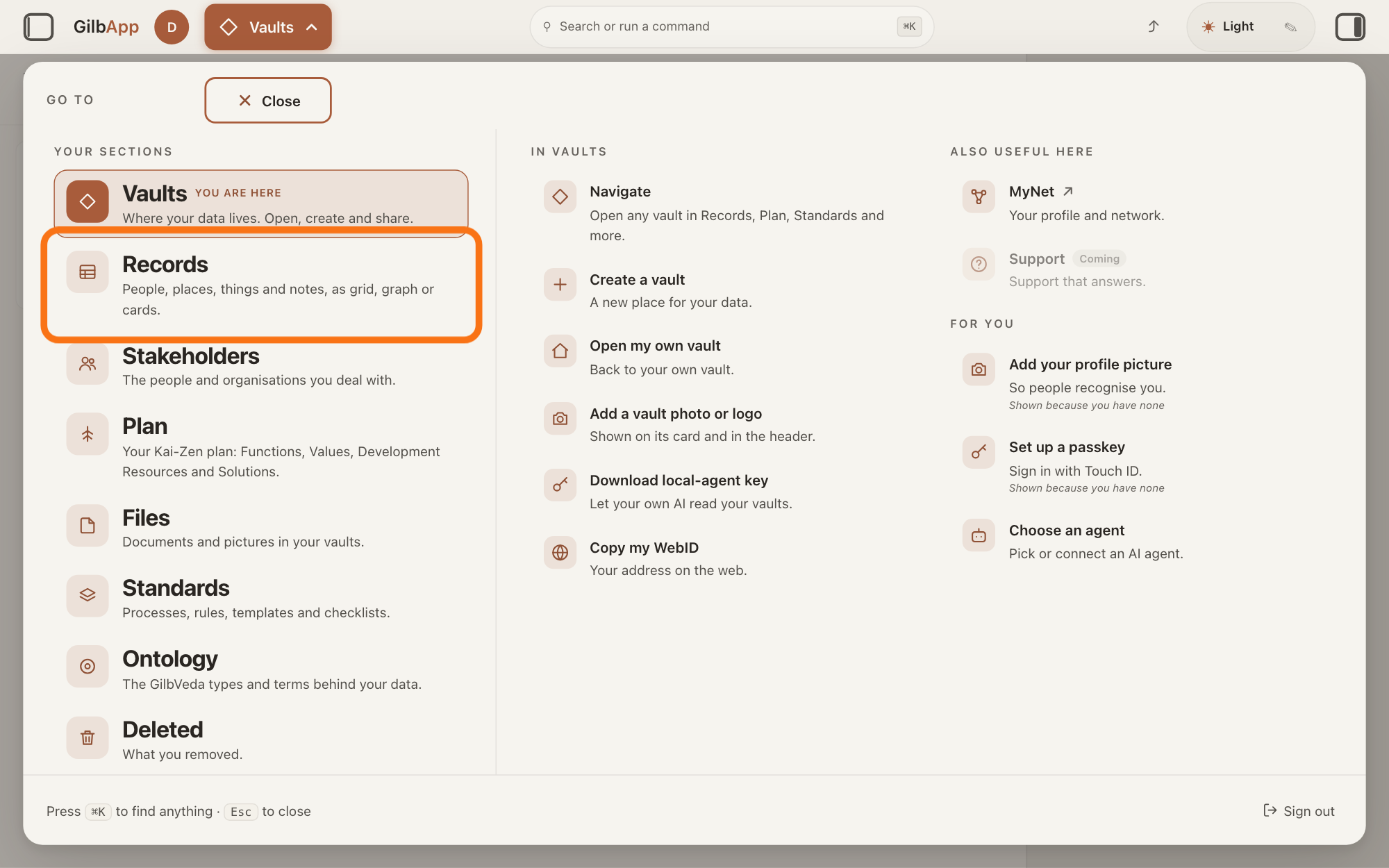
Press Main menu, next to your profile picture at the top left, and under YOUR SECTIONS choose Records. The button shows the name of the section you are in, such as Vaults.
Show as text
The panel headed "GO TO" is open over "Your vaults". In the left column under "YOUR SECTIONS", the outlined row is "Records", just under "Vaults". Click it.
More about this
A panel headed GO TO opens; Records reads People, places, things and notes, as grid, graph or cards. A record is one piece of data with its own address, such as a person, a place, a thing or a note. Records shows the vault you picked in Vaults, or your own vault if you picked none; a vault is the place where a person or a group keeps their records. Your app saves into the vault of the person signed in to it, so what you saved while trying it is in your own vault. The list starts with the newest first.
Search and select a record you saved while trying your app.
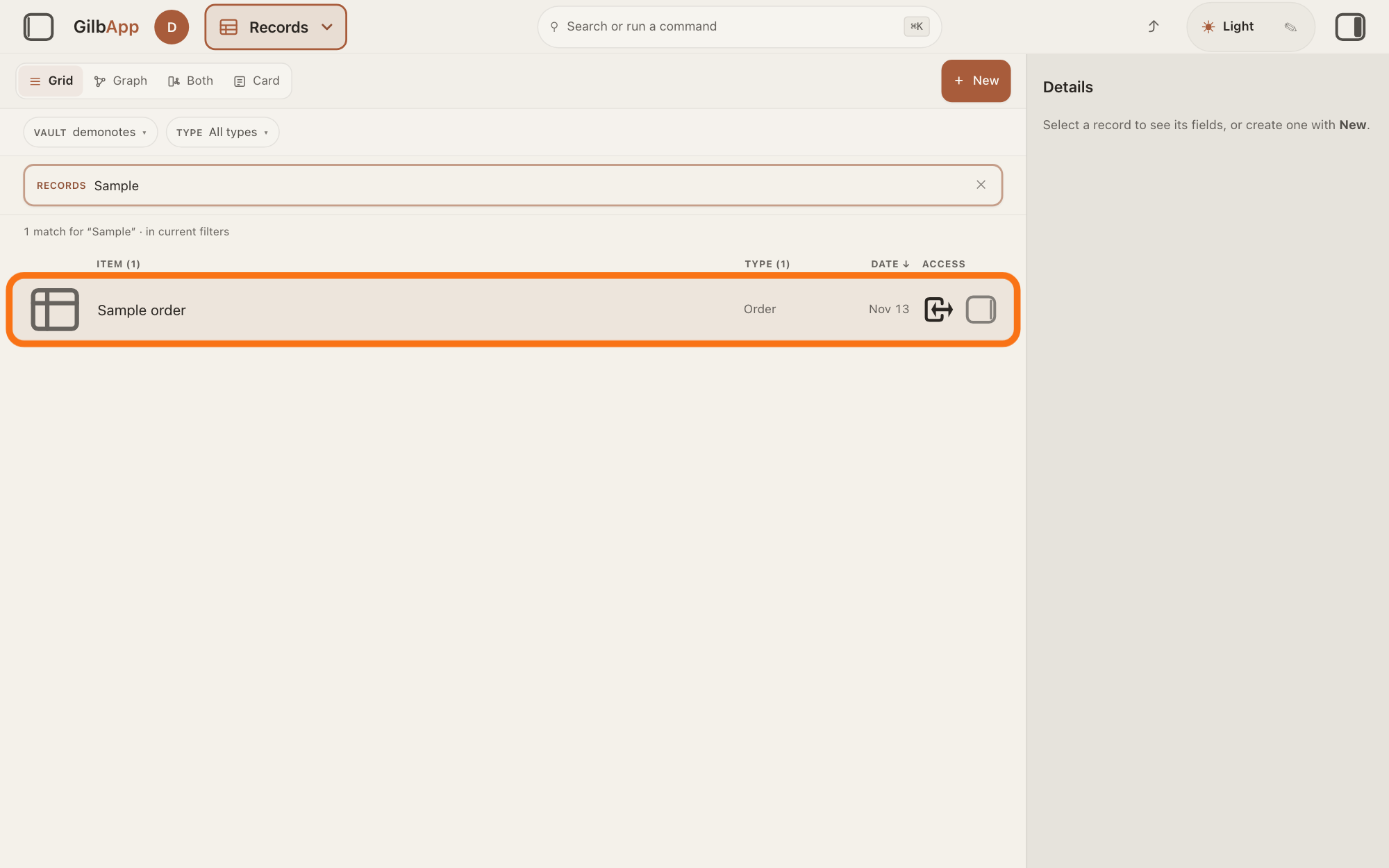
Type a word of the record's name in the search box marked RECORDS above the list, and click the record in the list. The record opens in the middle of the screen with its fields, and the right pane, headed Actions, holds what you can do with it.
Show as text
In the middle, a word is typed in the search box marked "RECORDS", and the line under it says how many records match. The outlined row is the made-up record Sample order, which stands for something you saved while trying your app. Type part of a name, then click the row you want.
More about this
The box shows Search in current filters… while a filter is on, and Search your vault… otherwise. A line above the list says how many match; with none, a notice titled No matches shows instead of the list. If your app was built to save into another vault of yours, press VAULT above the box, tick that vault and press Done; the answer on sorting and filtering the list shows how. The small square button at the right end of a row, with the hover text Show card info, shows the record in the right pane and keeps the list. Show all records, in the bar with the views, right of Card, brings the list back.
Deeper
Also asked:
What is the difference between test data and real data? Test data, or made-up data, is invented for trying things out, such as a customer called Sample; real data is what real people put in, such as their own names and orders. Keep the two apart.
Made-up data, often called test data, is information invented for trying things out, such as a customer called Sample or an order of 3 cups. Real data is what real people put in, such as their own names and orders. Keep the two apart: a made-up record left behind can show up for real users, and real people's details do not belong in a test.
Your AI's own tests. A test is a small program your AI writes that checks one part of your app. Tests can run on a stand-in for GilbPlatform: a program that answers the way GilbPlatform does but keeps everything in the computer's memory, with made-up data. GilbPlatform's code library has such a stand-in, for tests only, never in the app people use. A result that ran on a stand-in is marked MOCK in your AI's reply; REAL means it ran on the real thing. Some checks need the real GilbPlatform, such as saving into a vault. Where Agent.Coder, the agent that writes your app's code, works on live vaults, its instructions say it tests with the account the owner names and never reads another person's vault, so it uses the account you name. In a terminal, the window where you type commands, your AI coder can write only in the vaults you gave access to its AI vault, a vault made for your AI; the answer How do I give my AI access to a vault? shows how. So, does your AI write into your real vault while it builds? Only into a vault you gave its AI vault access to, and only when you or a check needs the real GilbPlatform; its own tests use a stand-in.
When you try the app yourself. Your app's users' data is not kept on the site: when you sign in to it, it reads and writes in your vault, as it does for every person who signs in. So what you type while you try it is saved for real in your vault, beside your other records; you can use made-up names while you try it. The steps show how to find what you saved.
Before it goes live, clear out what you made only for trying; the answer How do I put test data into my app, and clear it out before going live? tells more. Deleting a record ends it, and GilbPlatform keeps its history; the answer How do I delete a record, and can I get it back? tells more.
Once the app is live, each person who signs in uses their own vault and sees only what they may reach, so the records you made while trying it stay in your vault. If your app shows everyone records from a vault of yours, such as a shared list, made-up records there are seen by everyone: clear them out first.
This answer is written for a computer screen. In a window narrower than 840 pixels, such as a phone, the side panes are hidden and the right pane is Detail in the bar at the bottom.
Source: Standards read from GilbPlatform on 13 November 2026: Rule_Code_testing (RuleTestFakePlatform: a fake copies grant and access behaviour from a measurement on the live platform), t:Vault.fake in the GilbPlatformCode Library (For tests only, never in an app's shipped code: it keeps state in memory), Rule_Code_qa-testing (RuleQatestVerdictRules, reality bar: live proof when the Value needs real infrastructure), Kai-Zen.EvidenceRules (Tag: REAL, MOCK, UNPROVEN), Agent.Coder (HumanActs: you test with the account the owner names), Kai-Zen.ValueDeliveryStepRules.Delivered. GilbApp 49b1ae53 (https://gilb.com/app/version.json, read 13 November 2026): src/shell/gilbAppMenuRows.ts:117-123 (Records and its line), src/components/records/RegisterScopedSearch.tsx:28, :73-74 (Records label, placeholders), src/components/records/RecordGrid.tsx:1693 (Show card info), :2443-2447 (sort by date), :2571 (No matches). Live help pages, sentences shared: How do I find a record? (steps 1 and 2); How do I sort and filter the list? (DATE ↓: newest first; VAULT); Can my app have its own users who sign in?; Can my AI break or delete my data? How do I stay safe? (the AI vault's access); How do I delete a record, and can I get it back?
Checked against GilbApp d529620.